eclipse Ctrl +左键查看源代码Source not found

时间:2026-02-14 11:00:18

1、打开Eclipse,点击Windows。
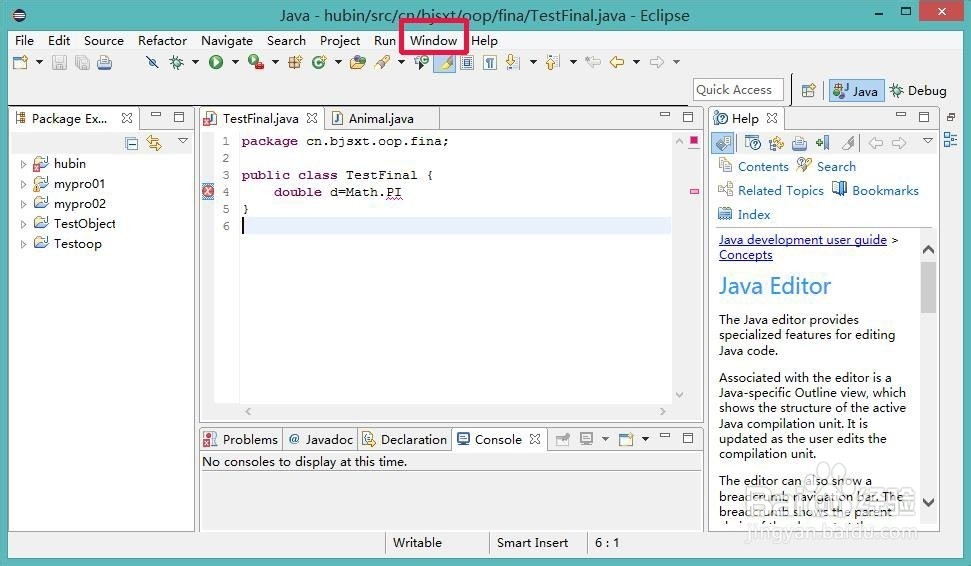
eclipse Ctrl +左键查看源代码Source not found

2、在Windows选项下,选择“perferences”。

eclipse Ctrl +左键查看源代码Source not found

3、在“perferences”窗口下,选择java->陕沟央Incelled jres。

eclipse Ctrl +左键查看源代码Source not found

4、点击“jre8”,点击右侧“ Edit”。

eclipse Ctrl +左键查看源代码Source not found

5、在edit jre对话框中,找到以“rt.jar”结尾的文件。点击展开。荡激

eclipse Ctrl +左键查看源代码Source not found

6、选择“ Source Attachment”陵肥。点击。

eclipse Ctrl +左键查看源代码Source not found

7、在 “Source Attachment”对话框下,选择”External location“。路径为安装java JDK时的路径,关键是在此路径下,找到src.zip,就行了。

8、看一下结果,如”Math“,按下ctrl,点击鼠标左键,即可查看其源代码。

eclipse Ctrl +左键查看源代码Source not found

eclipse Ctrl +左键查看源代码Source not found

© 2026 五度知识库
信息来自网络 所有数据仅供参考
有疑问请联系站长 site.kefu@gmail.com