苹果手机怎么切换中国商店 Apple Store切换中国

时间:2026-02-12 17:52:04

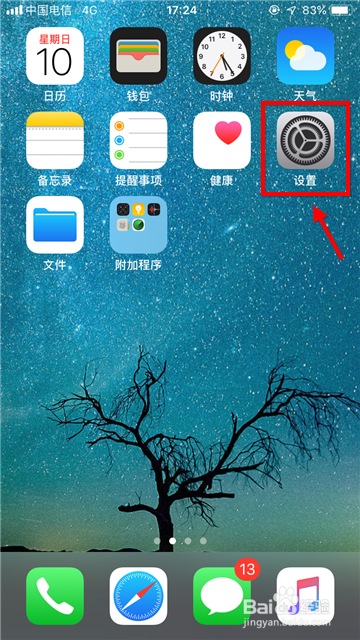
1、退出英文Apple Store,然后在桌面上找到“设置”,点击进入。
苹果手机怎么切换中国商店 Apple Store切换中国

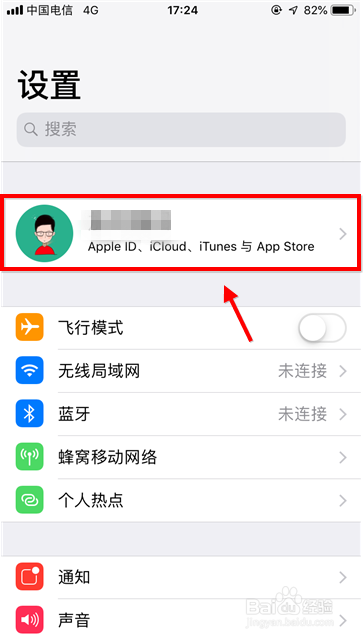
2、进入设置页面后,点击个人信息,进入个人中心界面,如下图所示。

苹果手机怎么切换中国商店 Apple Store切换中国

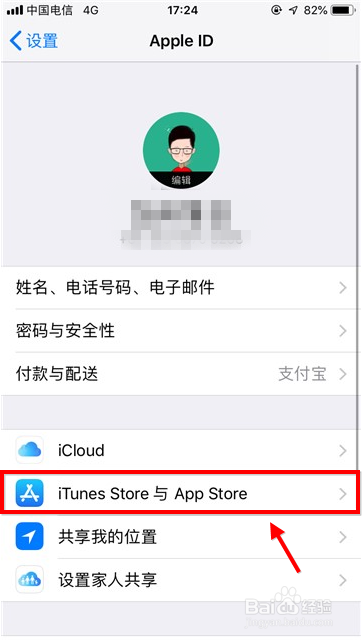
3、点击列表第二项“iTunes Store与Apple Store”,点击进入。
苹果手机怎么切换中国商店 Apple Store切换中国

4、进入后第一项为Apple ID,这个每个人都不同,进入后点击“查看Apple ID”。

苹果手机怎么切换中国商店 Apple Store切换中国

苹果手机怎么切换中国商店 Apple Store切换中国

5、如下图红框标注的是国家与地区,苹果商店根据你选择的国家、地区显示对应语言,点击将地区切换到中国大陆(China mainland)。

苹果手机怎么切换中国商店 Apple Store切换中国

苹果手机怎么切换中国商店 Apple Store切换中国

苹果手机怎么切换中国商店 Apple Store切换中国

6、切换后会出现长达16页的协议,右上角有agree选项,点击同意协议内容即可。

苹果手机怎么切换中国商店 Apple Store切换中国

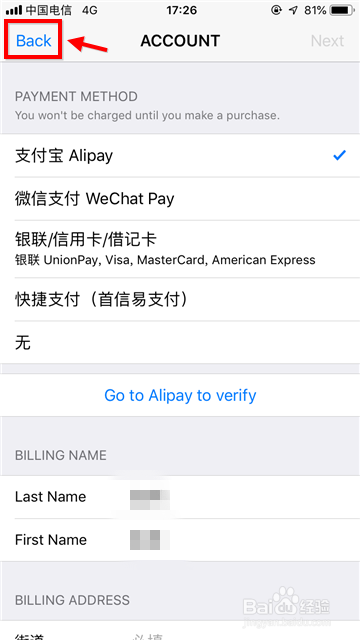
7、点击back返回,然后退出设置界面,最后再去看苹果商店,已经切换到中文了。
苹果手机怎么切换中国商店 Apple Store切换中国

苹果手机怎么切换中国商店 Apple Store切换中国

© 2026 五度知识库
信息来自网络 所有数据仅供参考
有疑问请联系站长 site.kefu@gmail.com