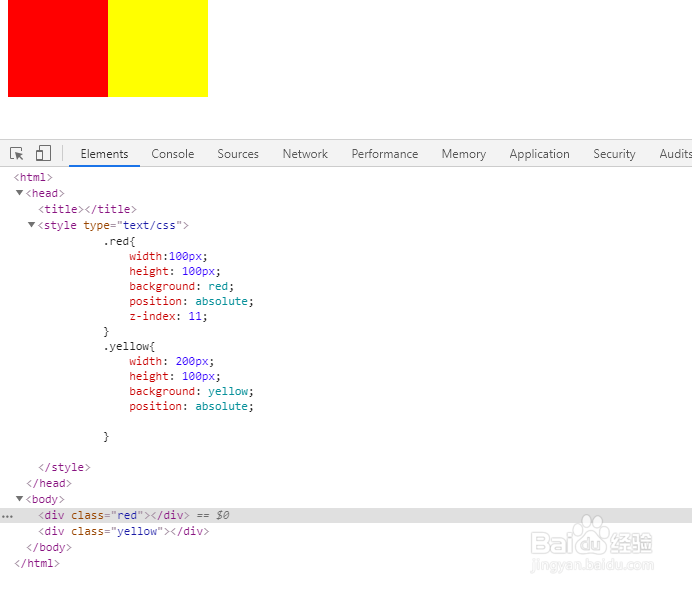
1、初始代码如下:
<html>
<head>
<title></title>
</head>
<style type="text/css">
.red{
width:100px;
height: 100px;
background: red;
position: absolute;
}
.yellow{
width: 200px;
height: 100px;
background: yellow;
position: absolute;
}
</style>
<body>
<div class="red"></div>
<div class="yellow"></div>
</body>
</html>
可以看出橙色的div明显在红色的div上面,现在使用z-index属性控制红色div在橙色div上面。
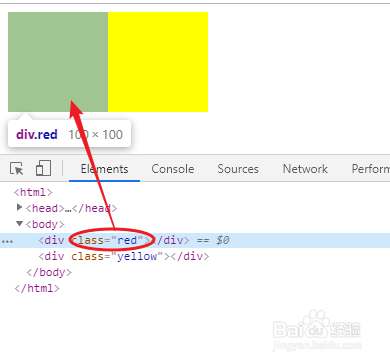
2、代码如下:
<html>
<head>
<title></title>
</head>
<style type="text/css">
.red{
width:100px;
height: 100px;
background: red;
position: absolute;
z-index: 11;
}
.yellow{
width: 200px;
height: 100px;
background: yellow;
position: absolute;
}
</style>
<body>
<div class="red"></div>
<div class="yellow"></div>
</body>
</html>
效果如下图: