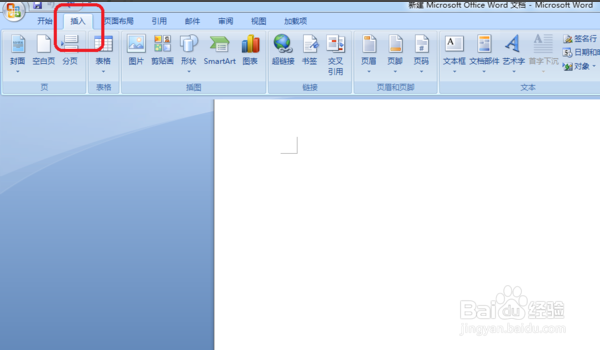
1、打开电脑上的Word文档,在文档中点击插入工具。
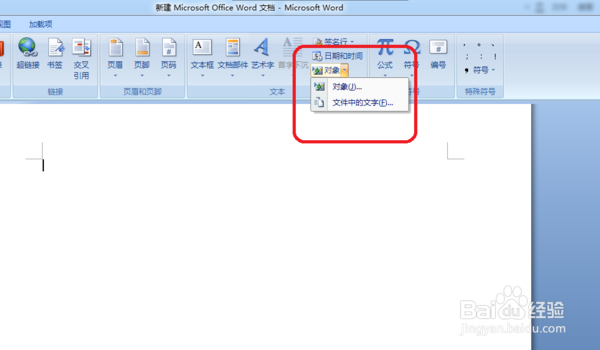
2、在右侧点击对象,并选择下拉菜单里面的对象。
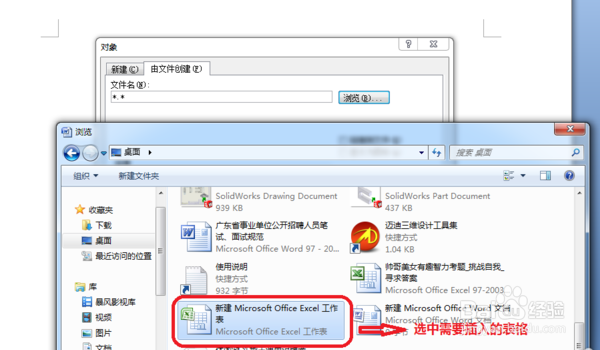
3、在弹出的对话框中点击“由文件创建 ”选项,选择浏览。

4、选中需要插入的excel表格,点击打开。
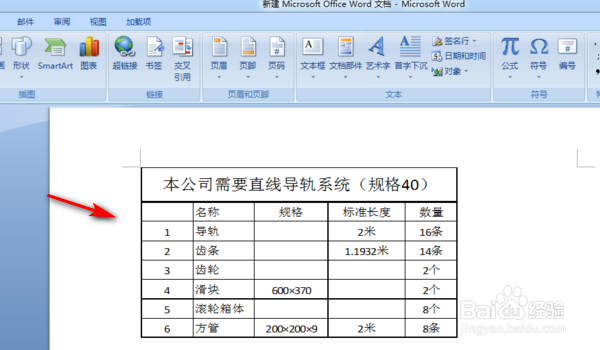
5、这样就将做好的excel表格插入到word文档中了。
1、打开电脑上的Word文档,在文档中点击插入工具。
2、在右侧点击对象,并选择下拉菜单里面的对象。
3、在弹出的对话框中点击“由文件创建 ”选项,选择浏览。
4、选中需要插入的excel表格,点击打开。
5、这样就将做好的excel表格插入到word文档中了。