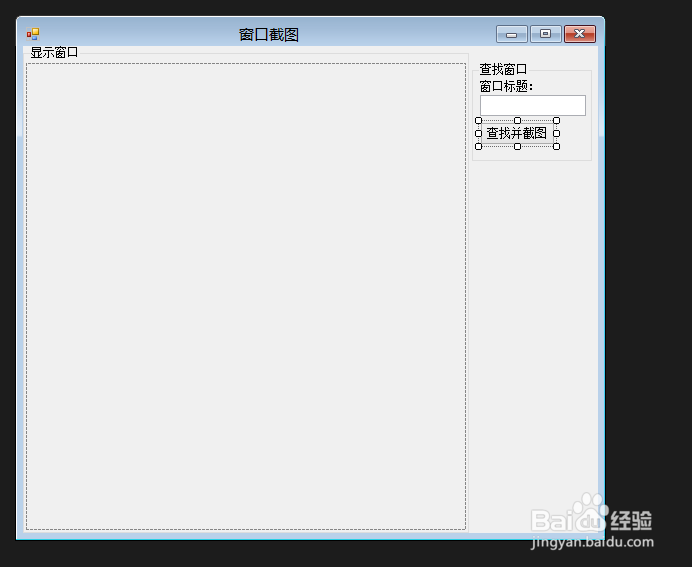
1、启动VS2013,新建C#->WinForm项目,命名为Cs窗口截图,如下图:

2、在窗体中添加控件并布局,如下图:
3、添加Win32Api引用,源代码见参考资料。
4、添加PrtWnd类,用于截取给定句柄的窗口,代码:
public class PrtWnd
{
public static Bitmap PrtWindow(IntPtr hWnd)
{
IntPtr hscrdc =Win32Api.GetWindowDC(hWnd);
Win32Api.RECT rect;
Win32Api.GetWindowRect(hWnd,out rect);
IntPtr hbitmap =Win32Api.CreateCompatibleBitmap(hscrdc, rect.right-rect .left , rect .bottom -rect .top );
IntPtr hmemdc =Win32Api.CreateCompatibleDC(hscrdc);
Win32Api.SelectObject(hmemdc, hbitmap);
Win32Api. PrintWindow(hWnd, hmemdc, 0);
Bitmap bmp = Bitmap.FromHbitmap(hbitmap);
Win32Api .DeleteDC(hscrdc);
Win32Api.DeleteDC(hmemdc);
return bmp;
}
}
5、在Form1的Btton单击事件中添加代码:
private void button1_Click(object sender, EventArgs e)
{
IntPtr handle=IntPtr .Zero ;
try
{
handle = Win32Api.FindWindow(null, textBox1.Text);
PB.Image = PrtWnd.PrtWindow(handle);
}
catch (Exception)
{
MessageBox.Show("悲剧……可能哪里出错了。|"+handle .ToString());
}
}
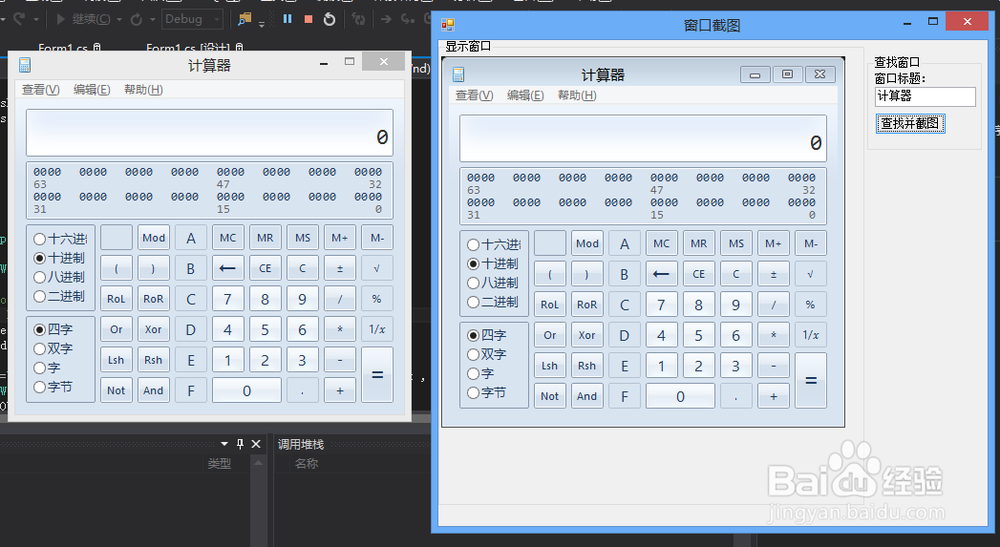
6、调试运行,结果如下图: