1、我们将WPS打开后,打开了我们按【文件-新建-Excel2003】,如图。

2、要竖着打字,最简单的方法就是按空格键,小编举一个例子,输入【百度】两字,如图。

3、紧接着我们鼠标停留在【百度】两字中间,如图。
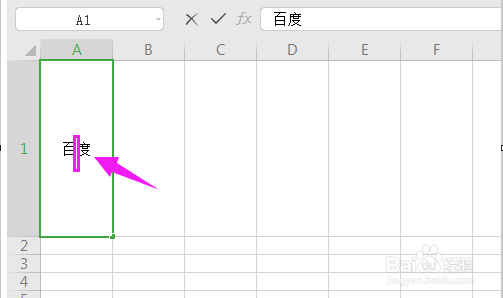
4、一直按空格键,直到【度】下去了,输入完成,如图。

1、选中单元格,如图。

2、接着单击下,选中【设置单元格格式】,如图。

3、接着我们选择【对齐】,如图。

4、直接勾选【文字竖排】就好了,如图。

1、我们将WPS打开后,打开了我们按【文件-新建-Excel2003】,如图。
2、要竖着打字,最简单的方法就是按空格键,小编举一个例子,输入【百度】两字,如图。
3、紧接着我们鼠标停留在【百度】两字中间,如图。
4、一直按空格键,直到【度】下去了,输入完成,如图。
1、选中单元格,如图。
2、接着单击下,选中【设置单元格格式】,如图。
3、接着我们选择【对齐】,如图。
4、直接勾选【文字竖排】就好了,如图。