1、系统还是CentOS 7

2、准备好镜像文件CentOS-7-x86_64-DVD-1908.iso

3、挂载iso文件到/mnt目录
mount -o loop CentOS-7-x86_64-DVD-1908.iso /mnt/
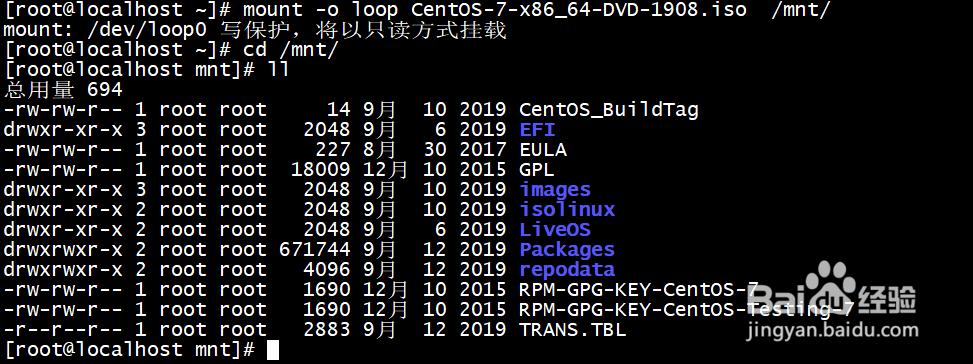
4、备份原yum源配置
mv /etc/yum.repos.d /etc/yum.repos.d.bak

5、创建新的目录和yum源
mkdir /etc/yum.repos.d
vi /etc/yum.repos.d/CentOS-local.repo

6、
[root@localhost mnt]# vi /etc/yum.repos.d/CentOS-local.repo
#本源的名字(不能和其他重复)
[base-local]
name=CentOS7.7-local
#步骤2中挂载镜像创建的目录
baseurl=file:///mnt
#启动yum源: 1-启用 0-不启用
enabled=1
#安全检测: 1-开启 0-不开启
gpgcheck=1
gpgkey=file:///etc/pki/rpm-gpg/RPM-GPG-KEY-CentOS-7
~

7、更新yum源配置
yum clean all
yum makecache
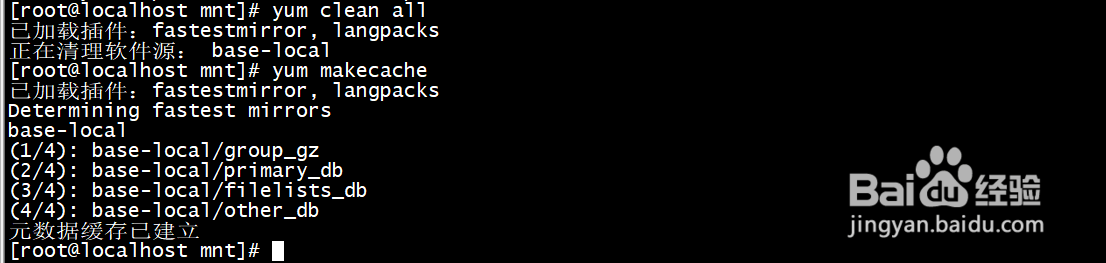
8、安装软件成功
