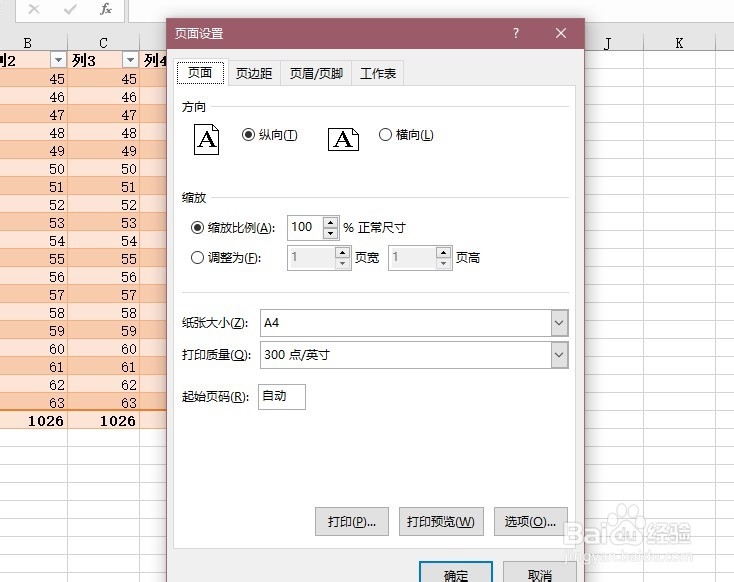
1、首先在开发工具中打开VBA编辑器

2、在单元格区域当中输入一些内容作为例子

3、在VBA编辑器中插入模块
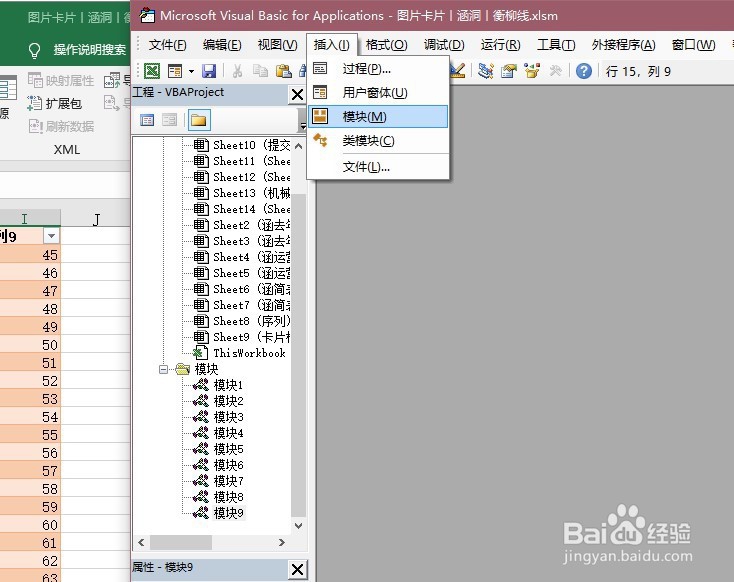
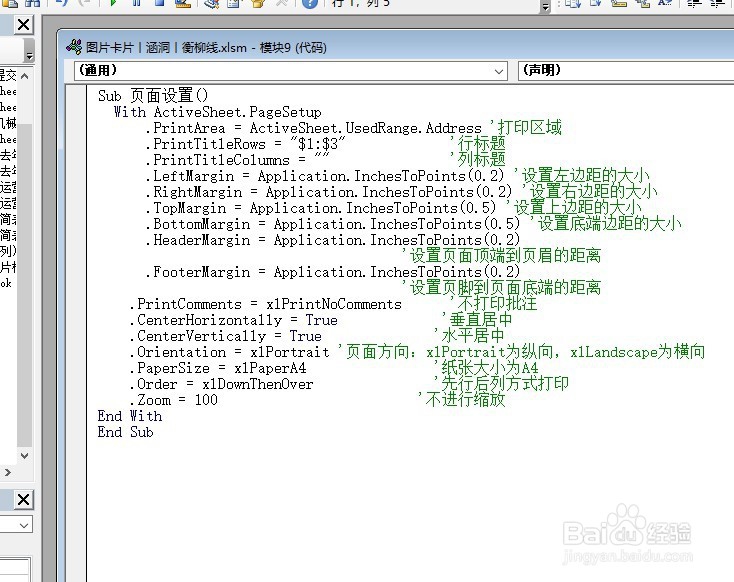
4、在模块当中输入如下代码,然后运行
Sub页面设置()
With ActiveSheet.PageSetup
.PrintArea=ActiveSheet.UsedRange.Address '打印区域
.PrintTitleRows="$1:$3" '行标题
.PrintTitleColumns="" '列标题
.LeftMargin=Application.InchesToPoints(0.2) '设置左边距的大小
.RightMargin=Application.InchesToPoints(0.2) '设置右边距的大小
.TopMargin=Application.InchesToPoints(0.5) '设置上边距的大小
.BottomMargin=Application.InchesToPoints(0.5)'设置底端边距的大小
.HeaderMargin=Application.InchesToPoints(0.2)
'设置页面顶端到页眉的距离
.FooterMargin=Application.InchesToPoints(0.2)
'设置页脚到页面底端的距离
.PrintComments=xlPrintNoComments '不打印批注
.CenterHorizontally=True '垂直居中
.CenterVertically=True '水平居中
.Orientation=xlPortrait '页面方向:xlPortrait为纵向,xlLandscape为横向
.PaperSize=xlPaperA4 '纸张大小为A4
.Order=xlDownThenOver '先行后列方式打印
.Zoom=100 '不进行缩放
End With
End Sub
5、用快捷键Alt+F8调出运行宏窗口,然后单击“执行”按钮,工作表已按需求做好打印设置