1、最简单的shell里调用sqlplus.
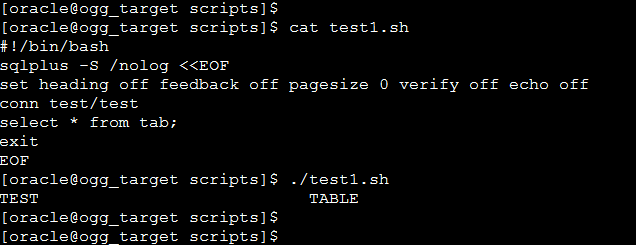
$ vi test1.sh
#!/bin/bash
sqlplus -S /nolog <<EOF
set heading off feedback off pagesize 0 verify off echo off
conn test/test
select * from tab;
exit
EOF
$ chmod +x test1.sh
$ ./test1.sh
2、把sqlplus执行结果传递给shell方法一
$ vi test2.sh
#!/bin/bash
VALUE=`sqlplus -S /nolog <<EOF
set heading off feedback off pagesize 0 verify off echo off numwidth 4
conn test/test
select count(*) from tab;
exit
EOF`
if [ "$VALUE" -gt 0 ]; then
echo "The number of rows is $VALUE."
exit 0
else
echo "There is no row in the table."
fi
$ chmod +x test2.sh
$ ./test2.sh

3、把sqlplus执行结果传递给shell方法二
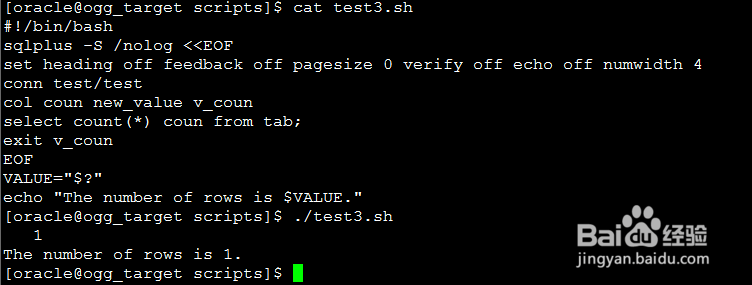
$ vi test3.sh
#!/bin/bash
sqlplus -S /nolog <<EOF
set heading off feedback off pagesize 0 verify off echo off numwidth 4
conn test/test
col coun new_value v_coun
select count(*) coun from tab;
exit v_coun
EOF
VALUE="$?"
echo "The number of rows is $VALUE."
$ chmod +x test3.sh
$ ./test3.sh
4、把shell程序参数传递给sqlplus
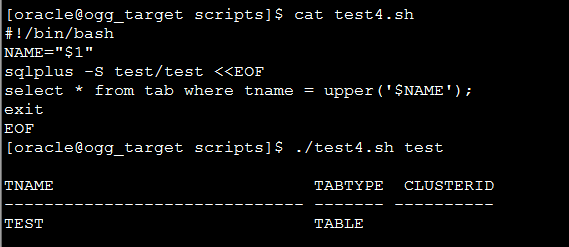
$1表示第一个参数, sqlplus里可以直接使用, 赋变量的等号两侧不能有空格不能有空格.
$ vi test4.sh
#!/bin/bash
NAME="$1"
sqlplus -S test/test <<EOF
select * from tab where tname = upper('$NAME');
exit
EOF
$ chmod +x test4.sh
$ ./test4.sh ttt
5、为了安全要求每次执行shell都手工输入密码
$ vi test5.sh
#!/bin/bash
echo -n "Enter password for u_test:"
read PASSWD
sqlplus -S /nolog <<EOF
conn test/$PASSWD
select * from tab;
exit
EOF
$ chmod +x test5.sh
$ ./test5.sh

6、为了安全从文件读取密码
对密码文件设置权限, 只有用户自己才能读写.
$ echo 'test' > u_test.txt
$ chmod g-rwx,o-rwx u_test.txt
$ vi test6.sh
#!/bin/bash
PASSWD=`cat u_test.txt`
sqlplus -S /nolog <<EOF
conn test/$PASSWD
select * from tab;
exit
EOF
$ chmod +x test6.sh
$ ./test6.sh
