1、打开PPT文件,确定需要编辑的内容。

2、选择功能区测“动画”功能。

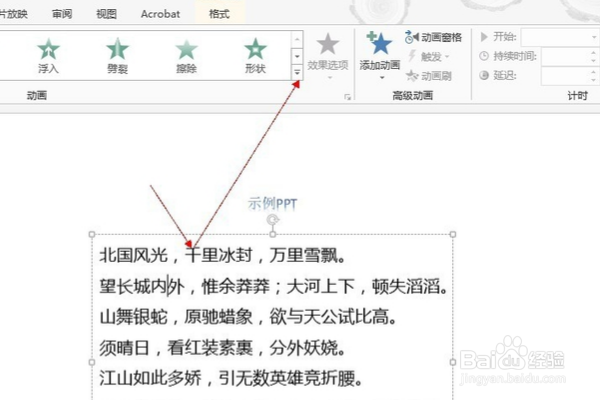
3、选择需要编辑的内容,点击动画中的右侧箭头,如下图所示。
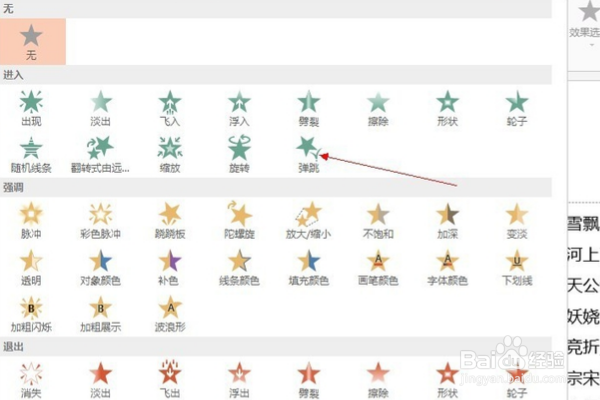
4、选择一种动画形式,比如弹跳。
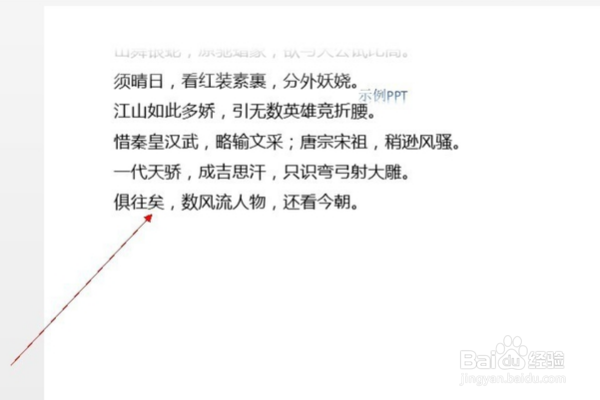
5、此时文字就会弹跳进入PPT,如下图,为进入的过程截图。
6、点击“效果选项”可以调节是整体还是局部。

7、点击“持续时间”可以设定动画时长。

1、打开PPT文件,确定需要编辑的内容。
2、选择功能区测“动画”功能。
3、选择需要编辑的内容,点击动画中的右侧箭头,如下图所示。
4、选择一种动画形式,比如弹跳。
5、此时文字就会弹跳进入PPT,如下图,为进入的过程截图。
6、点击“效果选项”可以调节是整体还是局部。
7、点击“持续时间”可以设定动画时长。