iPhone7 Plus如何设置Live动态壁纸?

时间:2026-02-15 11:08:03

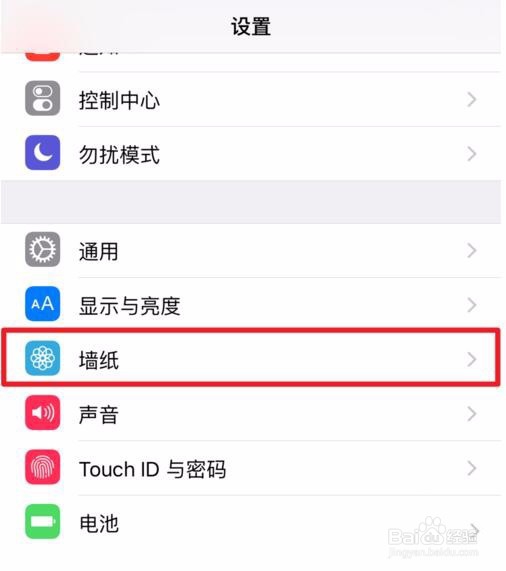
1、打开手机【设置】,打开后点击【墙纸】选项。(如下图)

iPhone7 Plus如何设置Live动态壁纸?

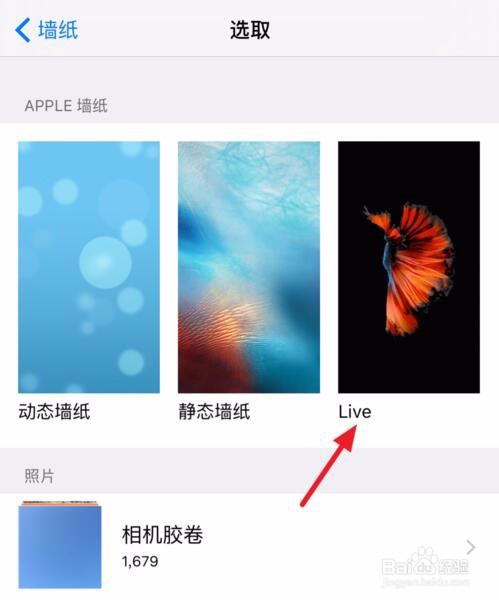
2、接着选择【Live】类型墙纸,挑选一张Live Photo。

iPhone7 Plus如何设置Live动态壁纸?

iPhone7 Plus如何设置Live动态壁纸?

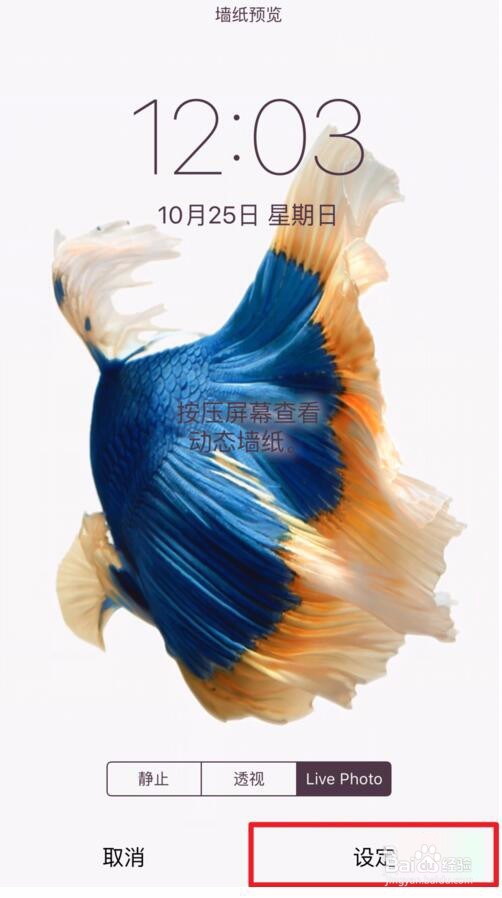
3、在预览界面下方选择【Live Photo】标签,再点击【设定】即可设定完毕。(如下图)
iPhone7 Plus如何设置Live动态壁纸?

iPhone7 Plus如何设置Live动态壁纸?

© 2026 五度知识库
信息来自网络 所有数据仅供参考
有疑问请联系站长 site.kefu@gmail.com