1、点击左下角“开始”菜单,选择“设置”选项。

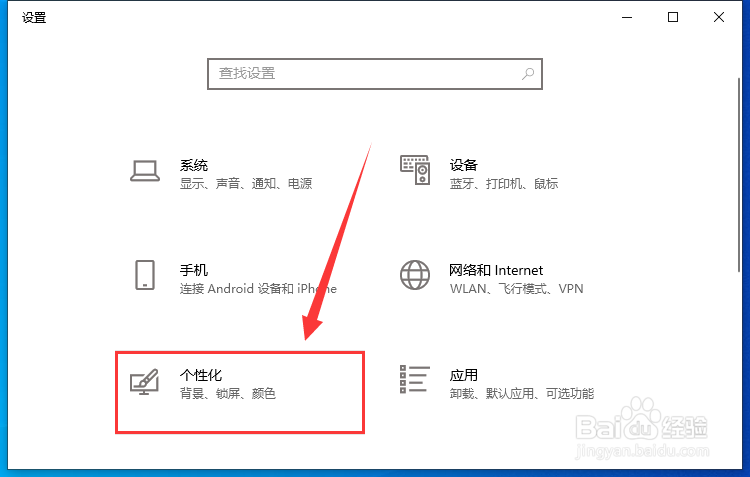
2、点击“个性化”。
3、点击左侧栏的“任务栏”。

4、最后将右侧栏“当我右键单击‘开始’按钮或按下Windows键+X时,在菜单中将命令提示符替换为Windows PowerShell”下面的开关按钮打开即可。

1、点击左下角“开始”菜单,选择“设置”选项。
2、点击“个性化”。
3、点击左侧栏的“任务栏”。
4、最后将右侧栏“当我右键单击‘开始’按钮或按下Windows键+X时,在菜单中将命令提示符替换为Windows PowerShell”下面的开关按钮打开即可。