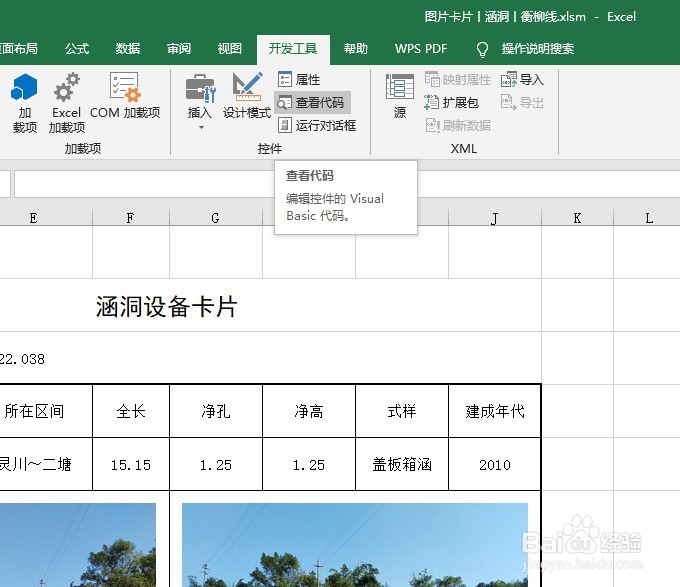
1、首先在开发工具中打开VBA编辑器
2、在单元格区域处塑常当中输入一些内容作为例子

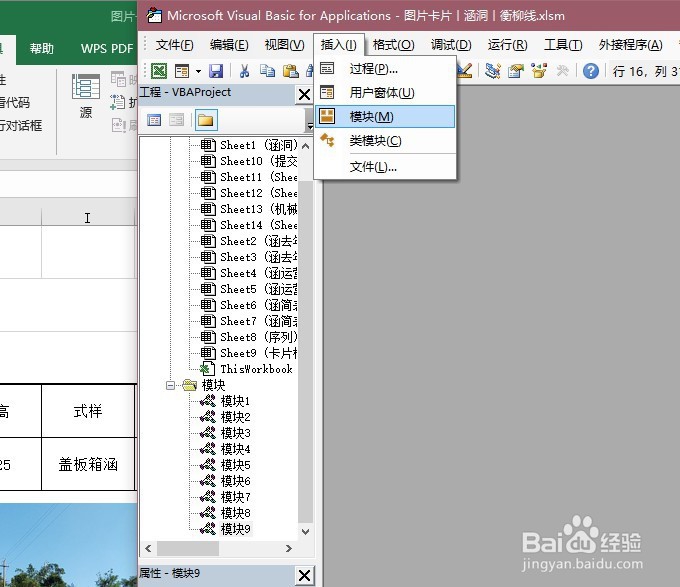
3、在VBA编辑器中插入模块
4、在模块当中输入如下代码,然后运行
Sub 合并居中()
Dim i%, counts%, sTem$
包距 Application.ScreenUpdating=False
Application.DisplayAlerts=False
Rng_count=Selection.Count
For i=1 To Rng_count
汽付
sTem=sTem & Selection.Cells(i)Next
With Selection
.MergeCells=True
.HorizontalAlignment=xlCenter
.VerticalAlignment=xlCenter
.NumberFormatLocal="@"
.Value=sTem
End With
Application.DisplayAlerts=True
Application.ScreenUpdating=True
End Sub

5、选中有数据的单元格A2∶C2,利用快捷键Alt+F8调出运行宏窗口,然后单击“执行”按钮,则单元格及数据均被合并
