返回
五度知识库
网站首页
美食营养
游戏数码
手工爱好
生活家居
健康养生
运动户外
职场理财
情感交际
母婴教育
生活知识
生活百科
知识问答
更多知识
iPhone日历提醒铃声选定为按键铃声
时间:2026-04-21 17:31:15
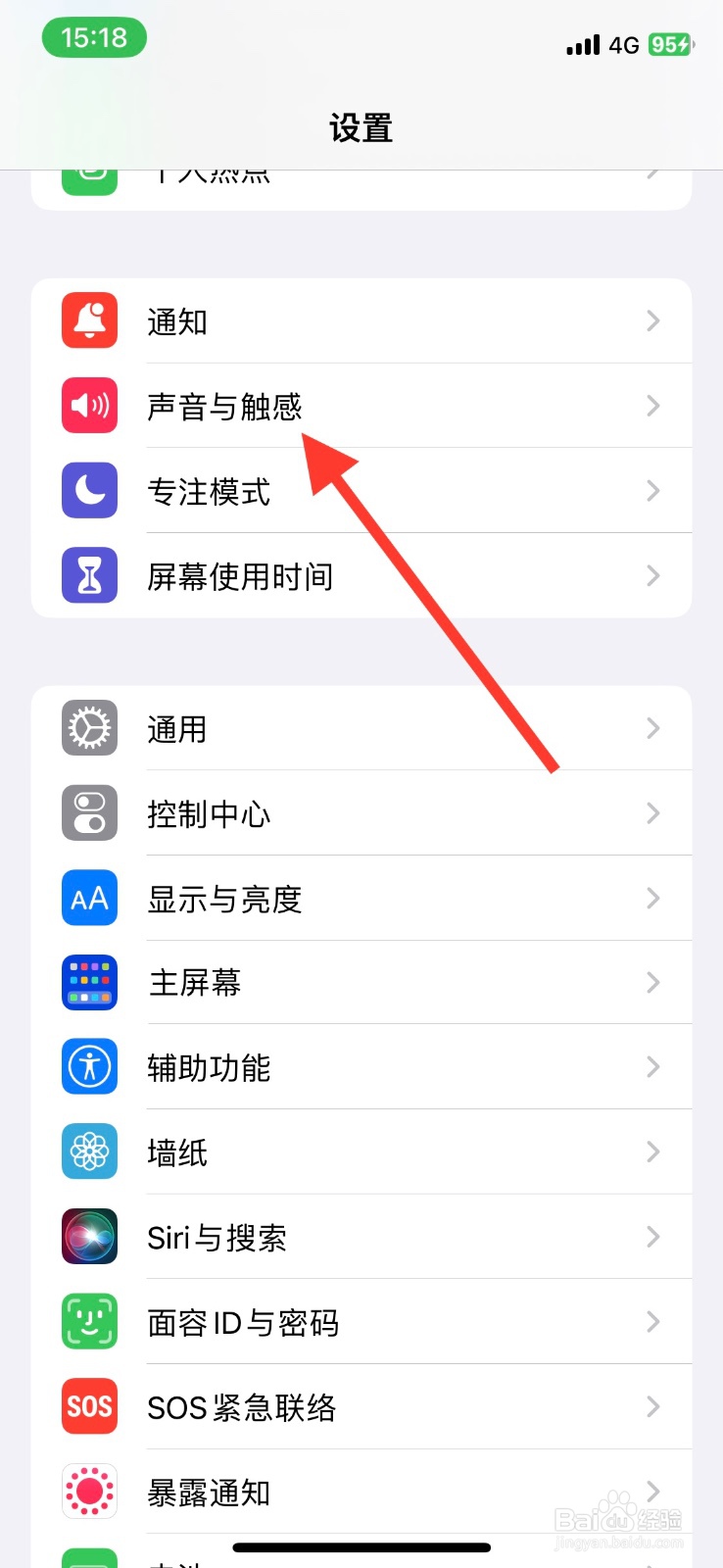
1、手机iPhone【设置】页面,下滑点击【声音与触感】。
2、【声音与触感】显示页面,下滑点击【日历提醒】。
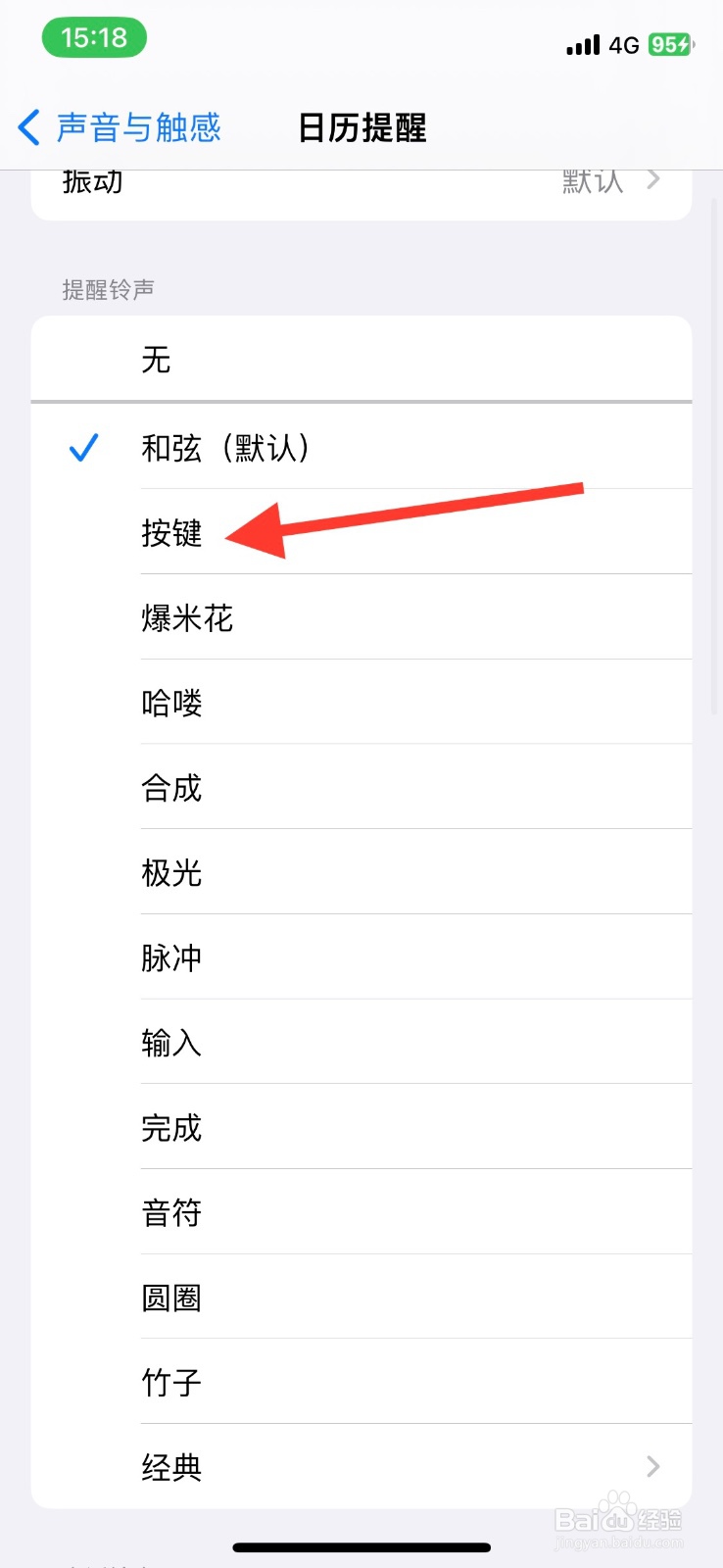
3、最后显示页面下滑找到【按键】铃声,点击选定此铃声。
手机iPhone日历提醒更改为“按键”铃声
iphone手机在哪设置铃声和提醒不受按键影响?
手机iPhone日历提醒更改为“哈喽”铃声
iPhone“日历提醒”铃声设定为“脉冲”
iphone自定义闹钟铃声
为你推荐:
白茶属于什么茶
怀孕初期有什么症状
小满是什么季节
95511是什么电话
婵娟是什么意思
犊子是什么意思
休克是什么意思
什么像什么
洪荒之力是什么意思
口加客念什么
© 2026 五度知识库
信息来自网络 所有数据仅供参考
有疑问请联系站长 site.kefu@gmail.com