返回
五度知识库
网站首页
美食营养
游戏数码
手工爱好
生活家居
健康养生
运动户外
职场理财
情感交际
母婴教育
生活知识
生活百科
知识问答
更多知识
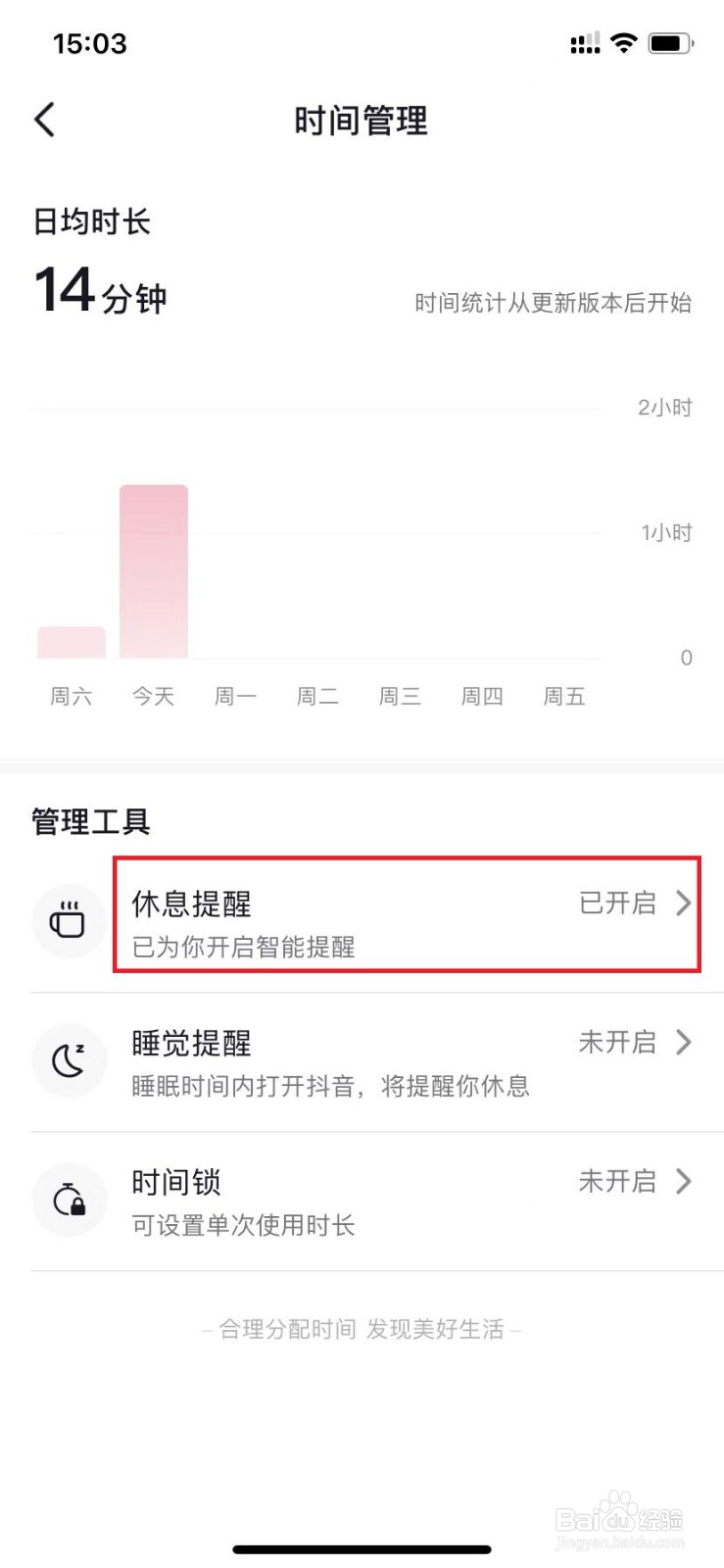
抖音如何打开休息提醒?
时间:2026-04-22 11:07:22
1、
点击更多
手机打开抖音,点击右上角的“更多”。
2、
选择时间管理
选择页面中的“时间管理”选项。
3、
选择休息提醒
点击页面中的“休息提醒”。
4、
开启
点击开启。
抖音怎么看都有谁给我点赞
闲趣岛app怎么提交用户反馈
抖音怎么不让别人看到自己的喜欢列表
如何修改今日头条的个人头像?
文章文字怎么转语音
为你推荐:
手机网银怎么开通
电脑桌面怎么截图
枇杷膏怎么吃
在网上怎么开店
cad引线怎么设置
话费怎么充q币
大便不成形怎么办
怎么写好字
怎么去除抬头纹
拉面怎么和面
© 2026 五度知识库
信息来自网络 所有数据仅供参考
有疑问请联系站长 site.kefu@gmail.com