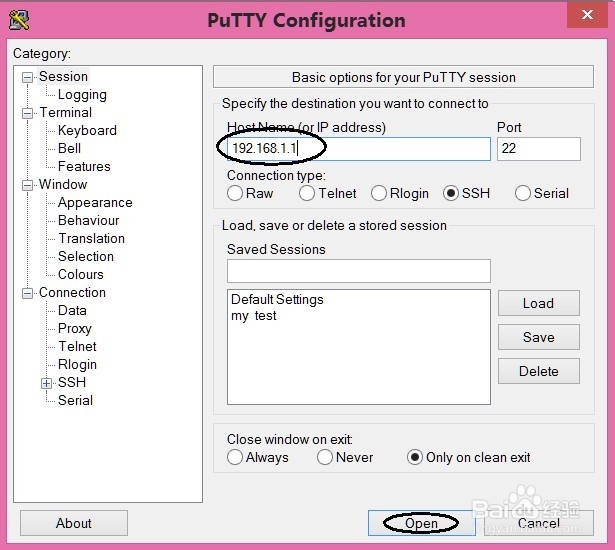
1、双击打开Putty.exe,填写路由器管理界面的IP地址,选择OPEN。
2、填写路由器的登录名和密码,密码一般不会显示,确定进入下一步;
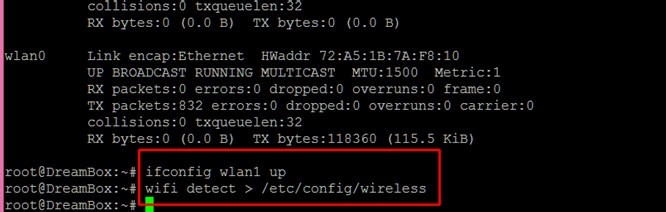
开启无线网卡:ifconfig wlan1 up;
显示默认无线设置:wifi detect > /etc/config/wireless;

3、打开路由器web管理界面,出现radio1,可以配置无线了,搜索网络添加即可实现中继。

1、双击打开Putty.exe,填写路由器管理界面的IP地址,选择OPEN。
2、填写路由器的登录名和密码,密码一般不会显示,确定进入下一步;
开启无线网卡:ifconfig wlan1 up;
显示默认无线设置:wifi detect > /etc/config/wireless;
3、打开路由器web管理界面,出现radio1,可以配置无线了,搜索网络添加即可实现中继。