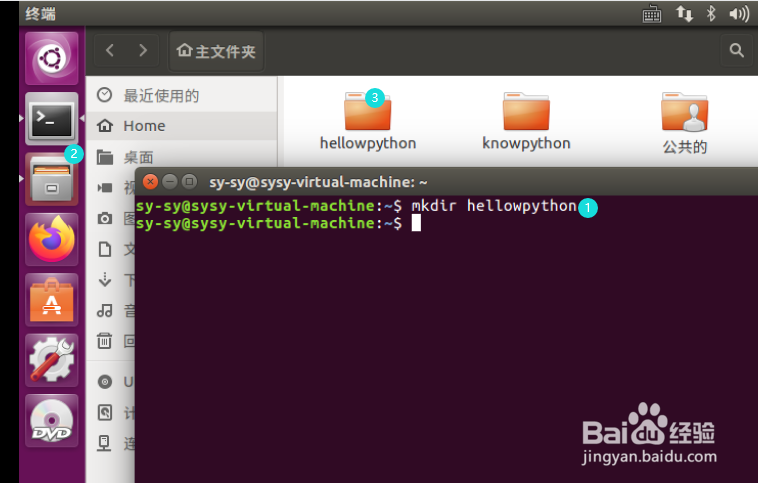
1、进入ubutun打开终端输入:
mkdir hellowpython
新建hellowpython这个文件夹,可以在文件夹里找到它
2、输入:
cd hellowpython
转入 hellowpython这个文件夹

3、输入:
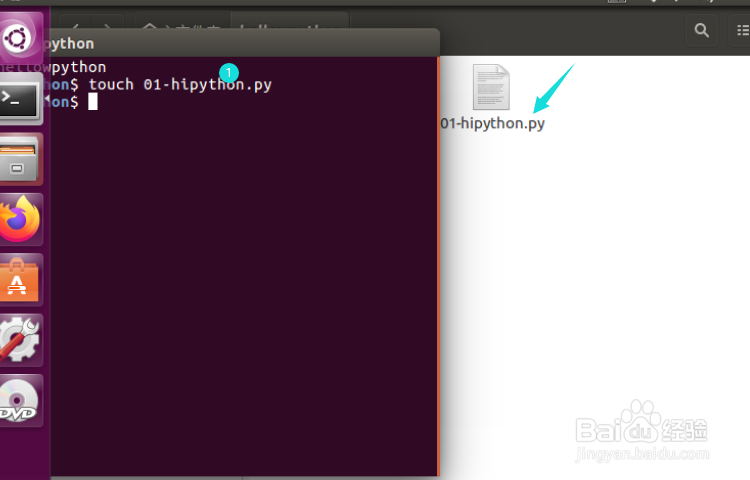
touch 01-hipython.py
建立一个python的源文件,这个文件可以在hellowpython这个文件夹里找到
4、打开01-hipython这个文件
在里面输入python程序,注意保存


5、在终端里输入:
python 01-hipython.py
输入完python 01之后按tap键剩余可自动补全
enter后会在终端显示运行结果

6、水平不高,能力有限,如有不足,感谢指正