1、首先,了解一下,开启了Keep-Alive响应头是什么样子,如图:
Connection: Keep-Alive
Keep-Alive: timeout=5, max=99

1、因为Apache中,Keep-Alive功能默认是开启的,所以第一步需要关闭。
首先找到Apache的配置文件,conf/httpd.conf,打开此文件

2、在文件httpd.conf中,查找行:Include conf/extra/httpd-default.conf
将行头的符号(#)删除,并保存文件

3、找到配置文件的附加配置:conf/extra/httpd-default.conf,打开此文件
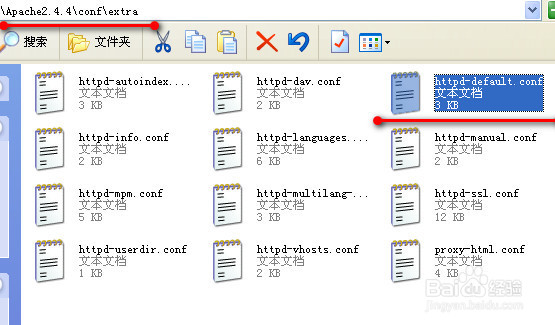
4、在文件httpd-default.conf中,查找行:KeepAlive On,
将此行设置为:KeepAlive Off
保存修改

5、重启Apache服务器之后,即可成功的关闭KeepAlive功能了

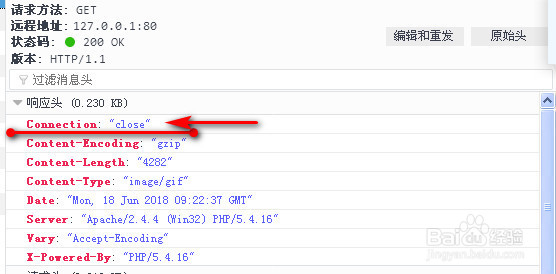
6、再次查看响应头,Connection显示为关闭,表明已成功关闭Keep-Alive,如图
Connection: close
1、开启Kepp-Alive无需演示了,将关闭Keep-Alive的方法,反向操作即可。如:
直接注释conf/httpd.conf文件中的行,从而使用Apache的默认配置:
#Include conf/extra/httpd-default.conf
或者,修改文件conf/extra/httpd-default.conf中的行为:KeepAlive Off