macbook pro怎么安全退出u盘

时间:2026-02-12 15:18:11

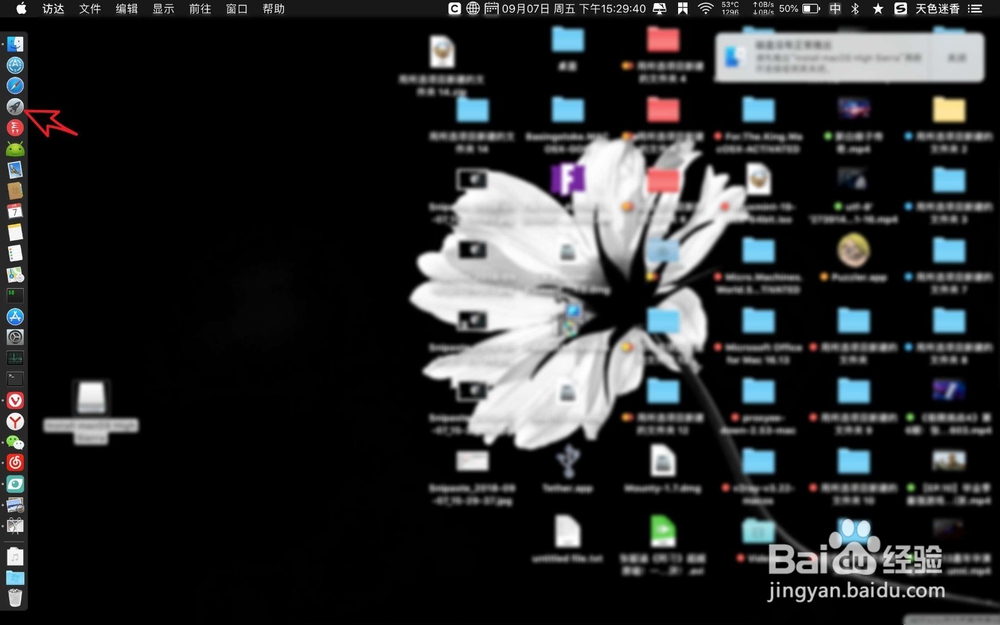
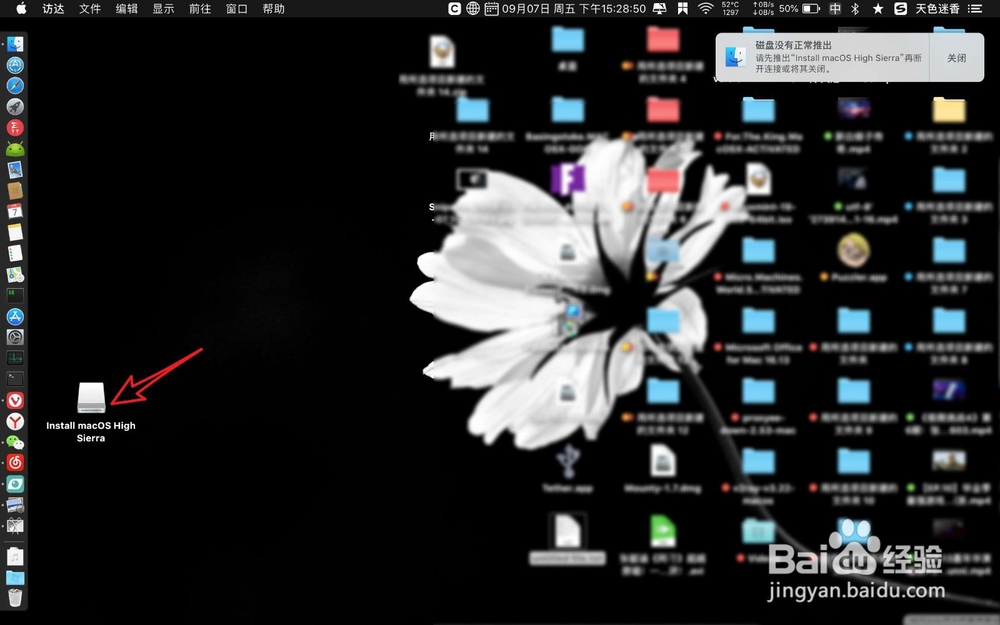
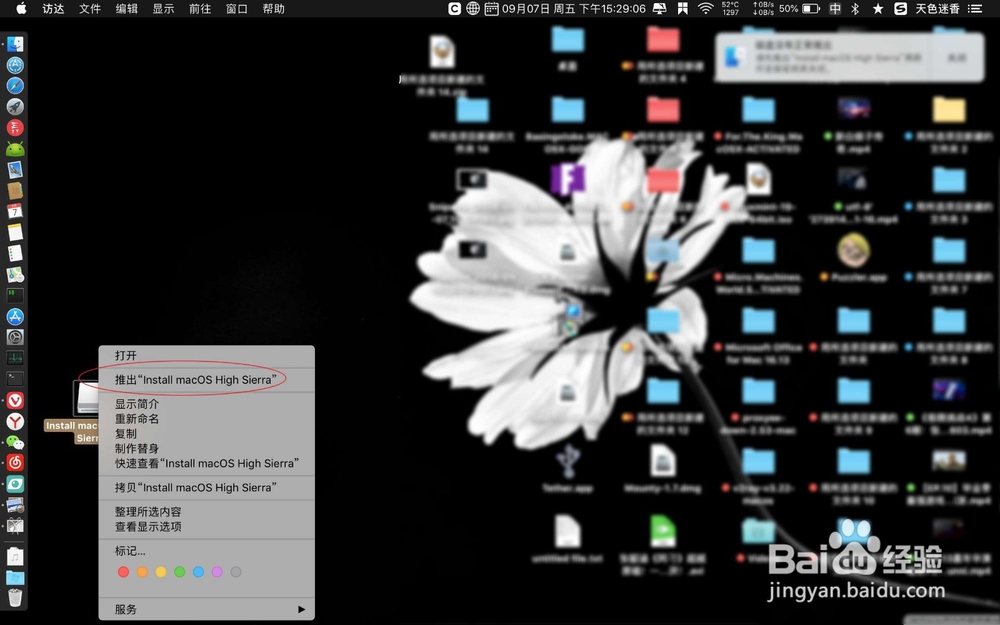
1、一般来说你可以在桌面上点击这个磁盘U盘图标,右键了它选择推出,即可安全吐温弹出U盘了。
macbook pro怎么安全退出u盘

macbook pro怎么安全退出u盘

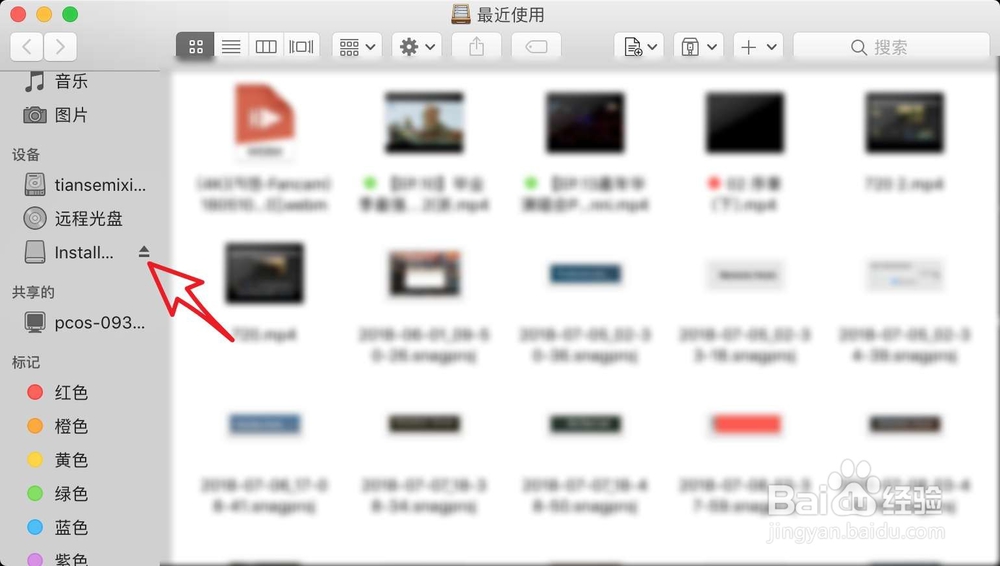
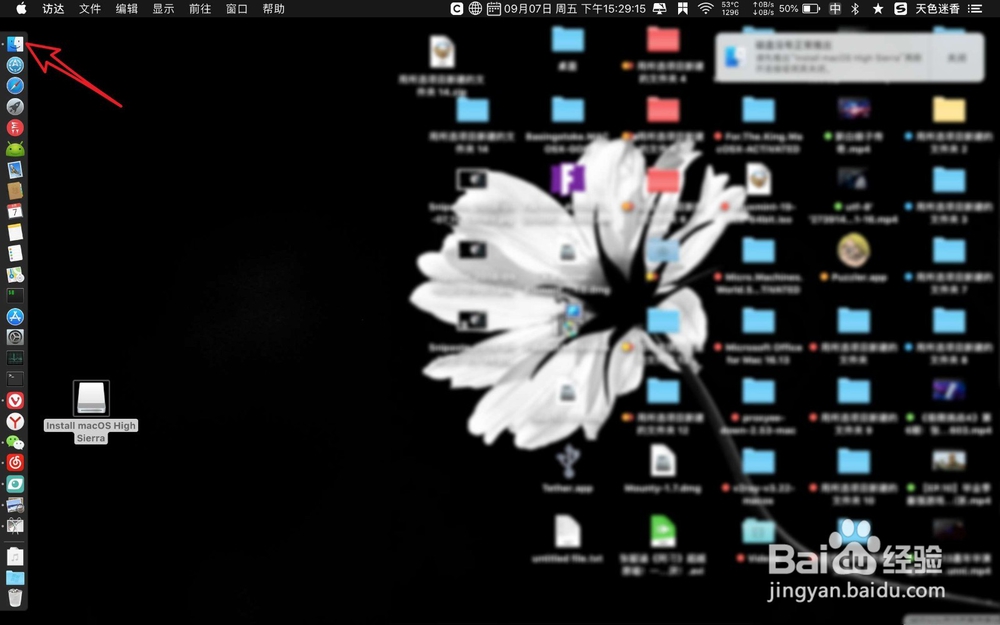
2、桌面没有看到U盘图标,你可以点击finder,点击左侧上的U盘黑色的弹出符号即可。
macbook pro怎么安全退出u盘

macbook pro怎么安全退出u盘

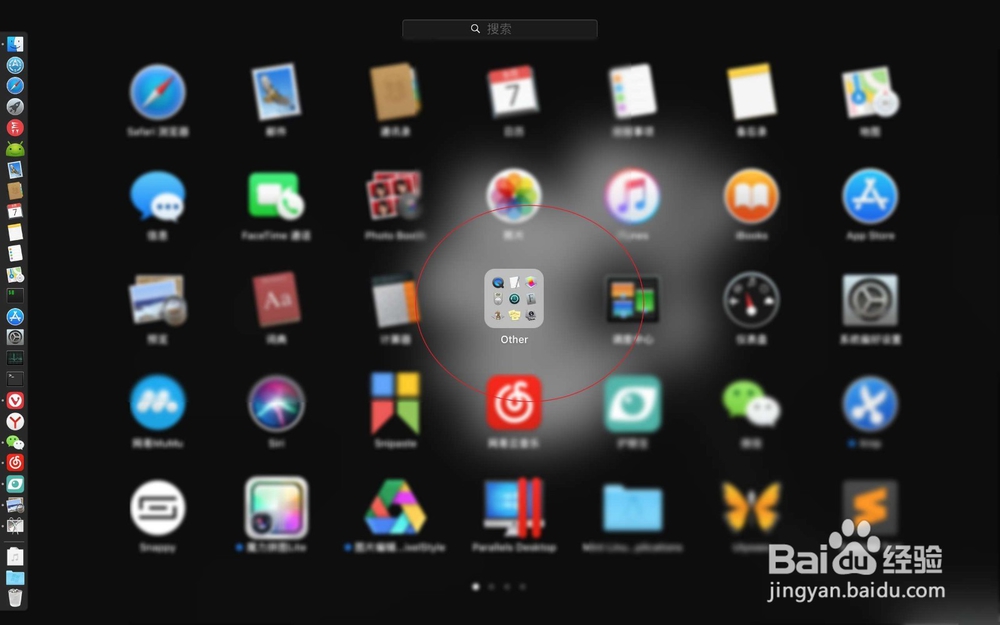
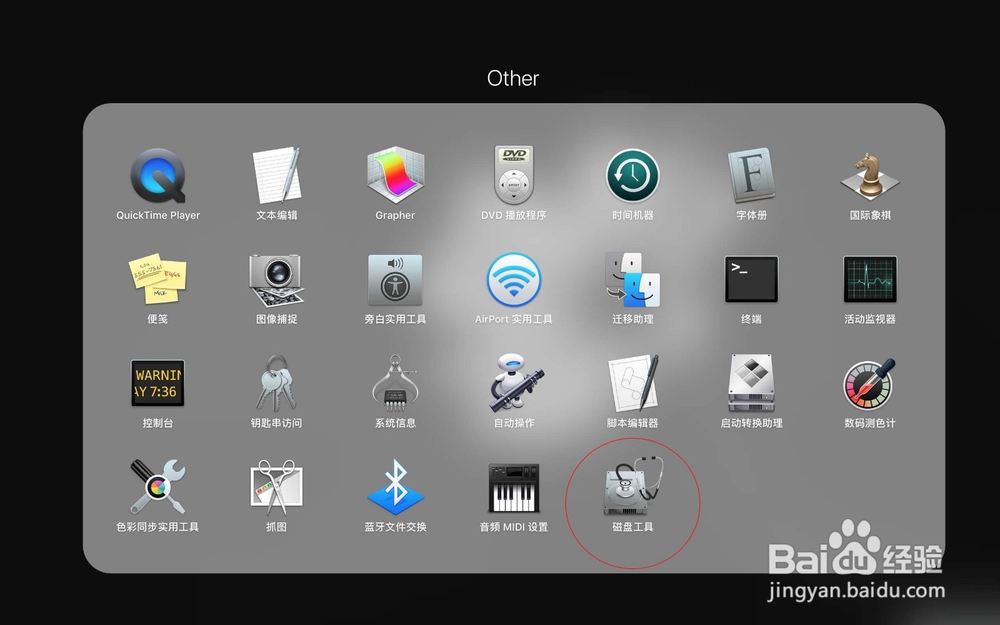
3、此独霜国外可以点击启动台,点击一个其他的目录。

macbook pro怎么安全退出u盘

macbook pro怎么安全退出u盘

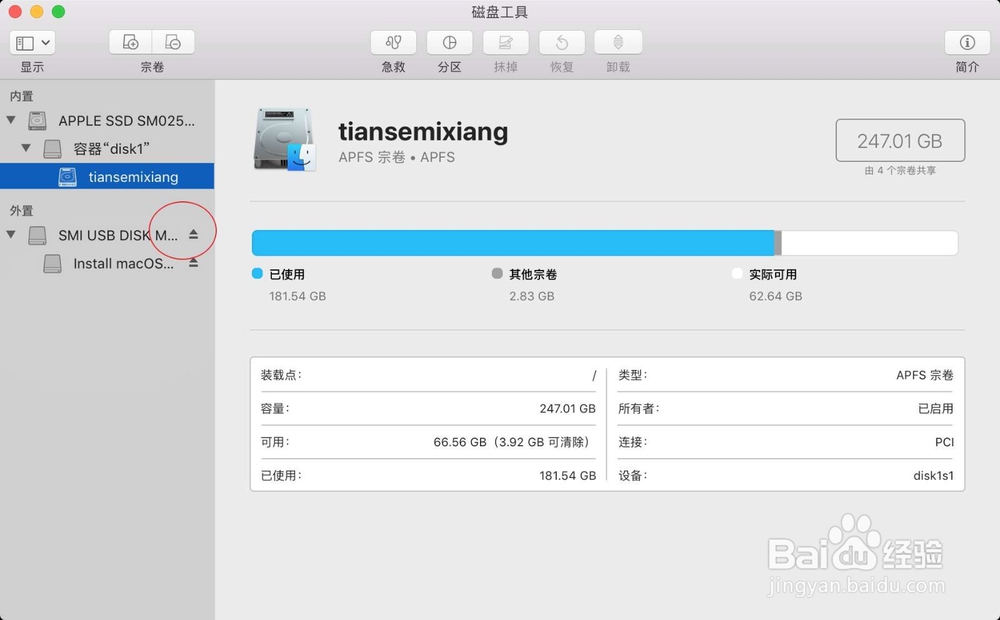
4、之后点击这个磁盘工具,此时会在磁盘左边看到U盘,点击U盘上弹出的符号即可。
macbook pro怎么安全退出u盘

macbook pro怎么安全退出u盘

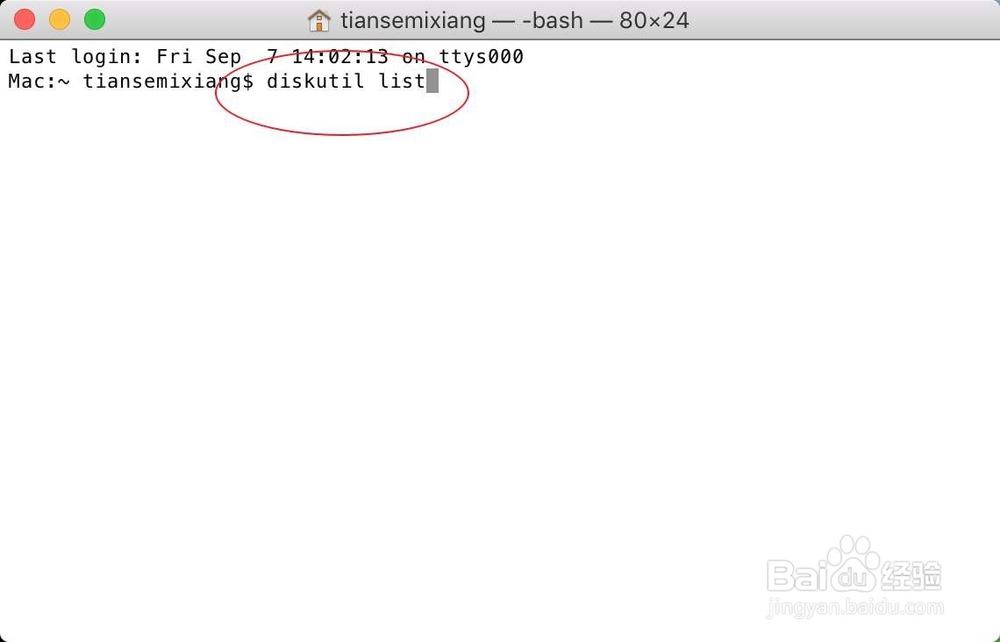
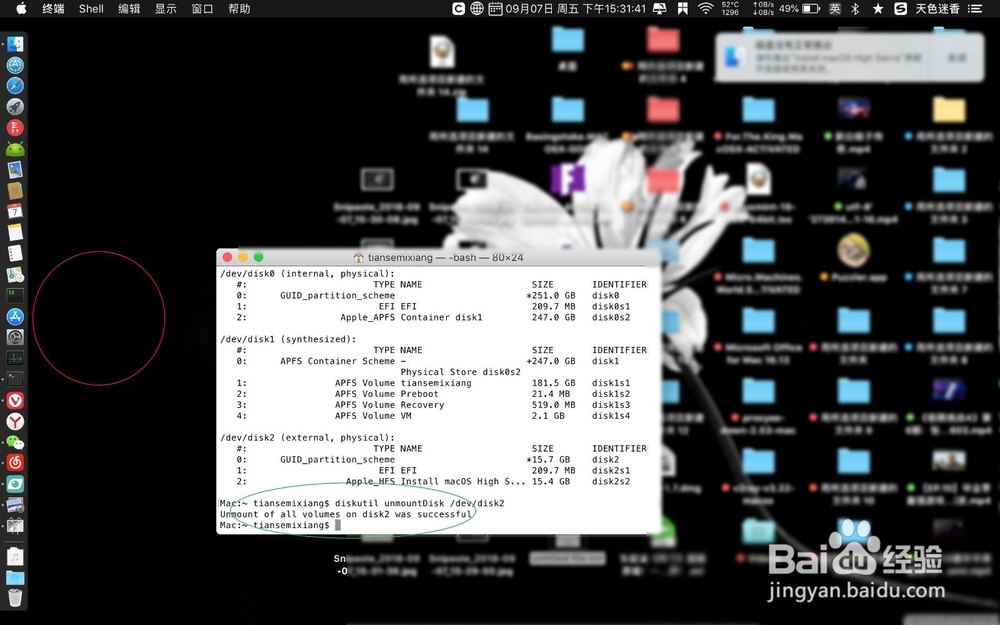
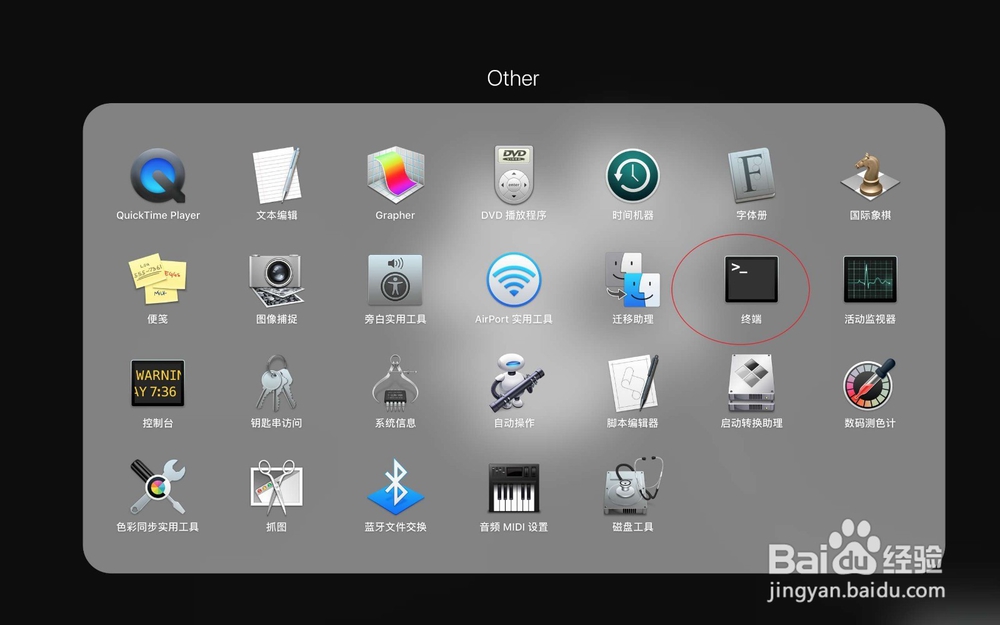
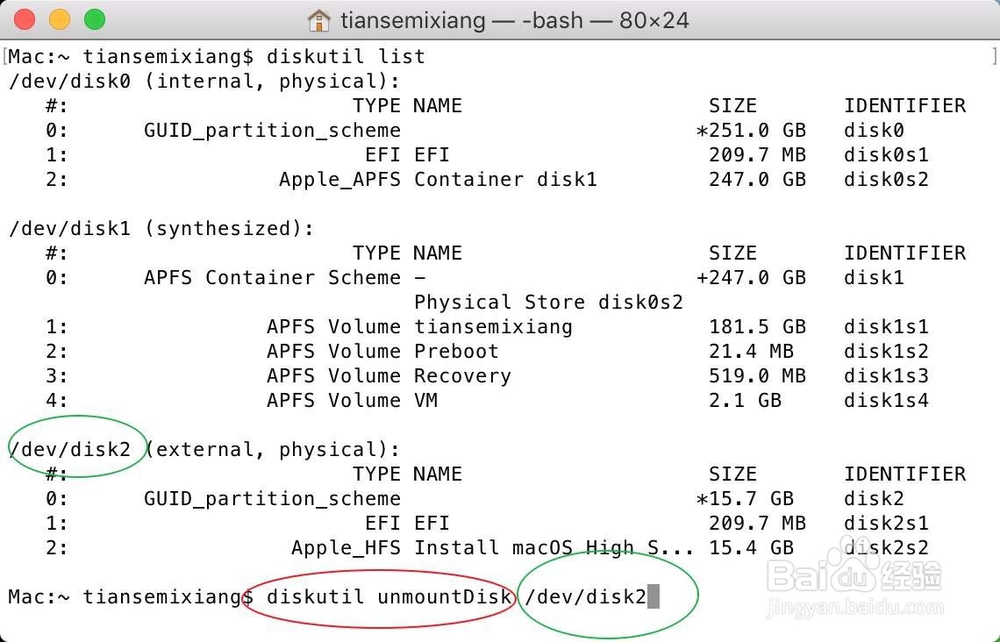
5、或者是你可以点击终端,输入命令晃粒:【diskutil list】,这个时候会看大U盘的名字。
macbook pro怎么安全退出u盘

macbook pro怎么安全退出u盘

6、接着输入命令:【diskutil unmountDisk  /dev/disk2】,看到提示弹出成功即可。前面【diskutil unmountDisk】固定格式,后面是U盘的名字。
macbook pro怎么安全退出u盘

macbook pro怎么安全退出u盘

© 2026 五度知识库
信息来自网络 所有数据仅供参考
有疑问请联系站长 site.kefu@gmail.com