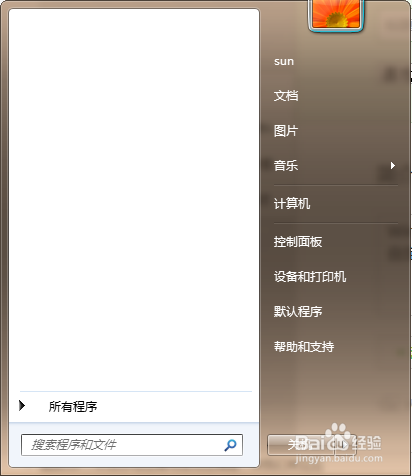
1、打开Windows 7系统开始菜单;
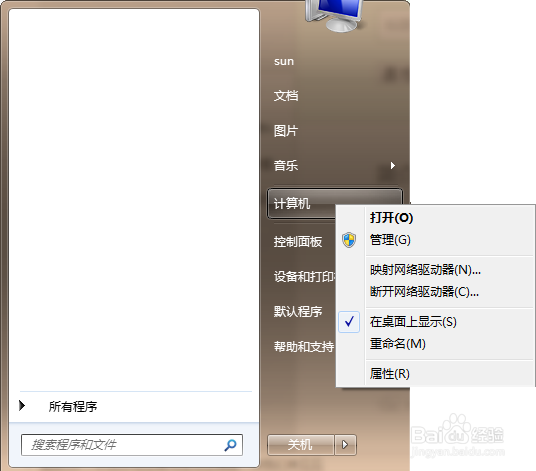
2、找到开始菜单中计算机右击;
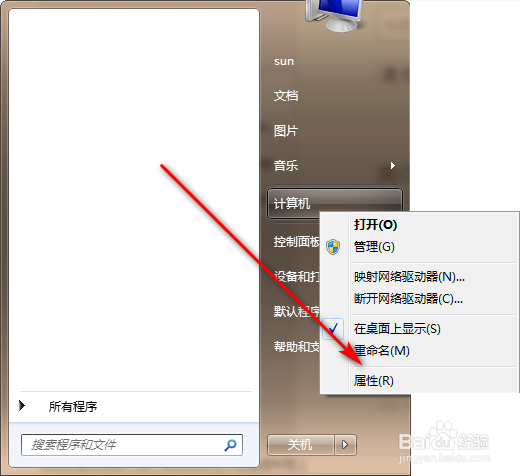
3、点击右击菜单中的“属性”按钮;
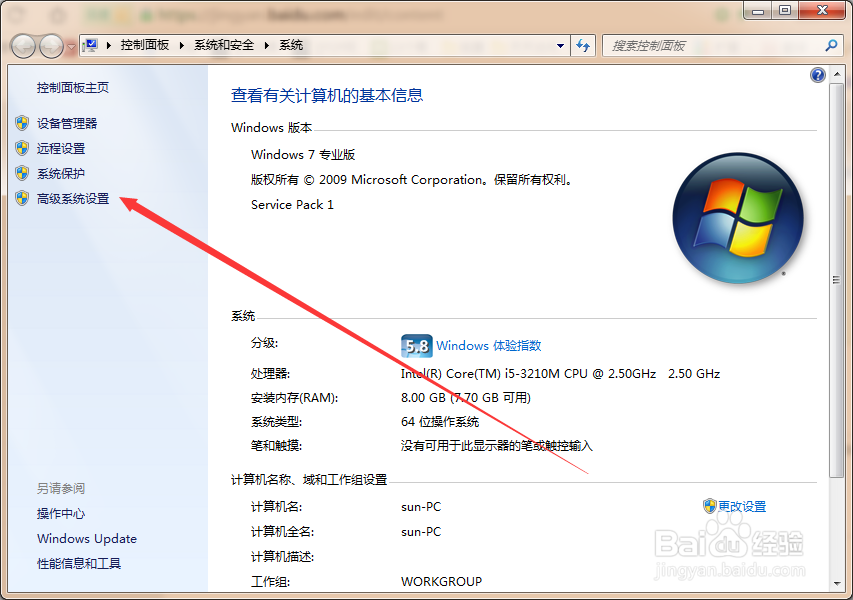
4、系统窗口自动打开;
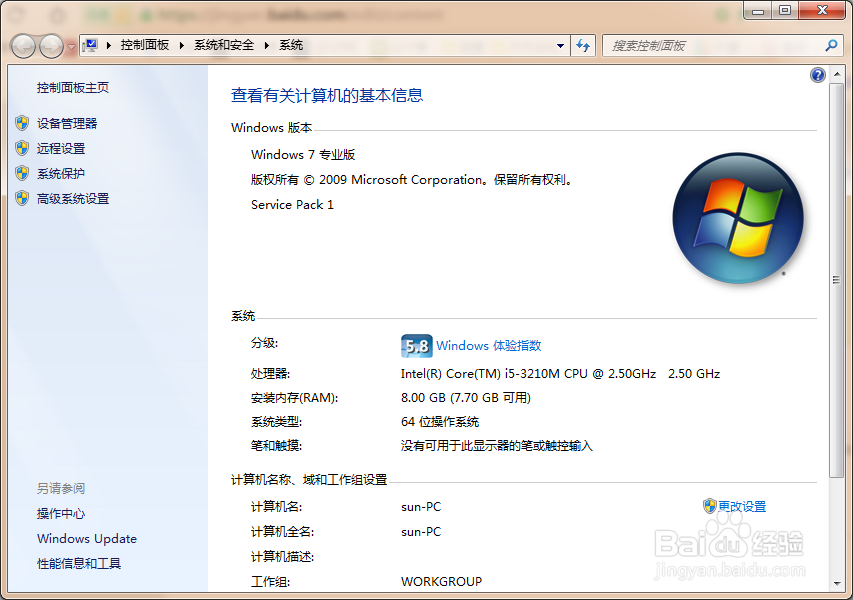
5、点击“高级系统设置”;
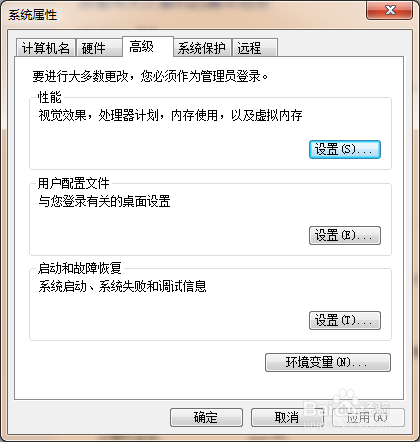
6、系统属性对话框自动打开;
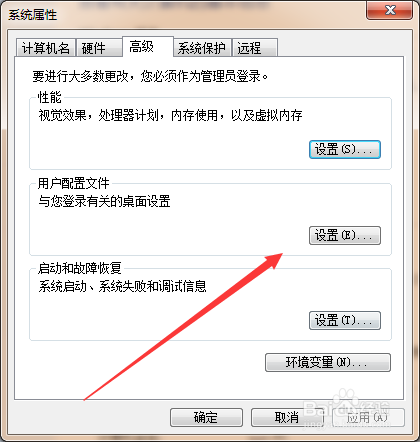
7、点击用户配置文件中的“设置”按钮;
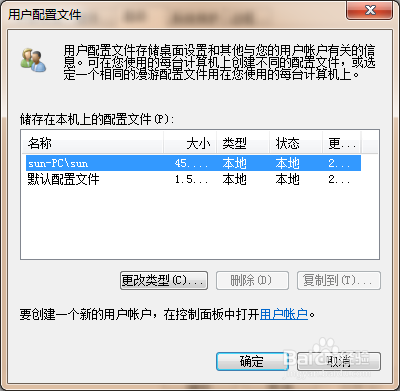
8、用户配置文件对话框自动打开。
1、打开Windows 7系统开始菜单;
2、找到开始菜单中计算机右击;
3、点击右击菜单中的“属性”按钮;
4、系统窗口自动打开;
5、点击“高级系统设置”;
6、系统属性对话框自动打开;
7、点击用户配置文件中的“设置”按钮;
8、用户配置文件对话框自动打开。