返回
五度知识库
网站首页
美食营养
游戏数码
手工爱好
生活家居
健康养生
运动户外
职场理财
情感交际
母婴教育
生活知识
生活百科
知识问答
更多知识
微信怎样停用不需要的功能
时间:2026-05-13 15:19:17
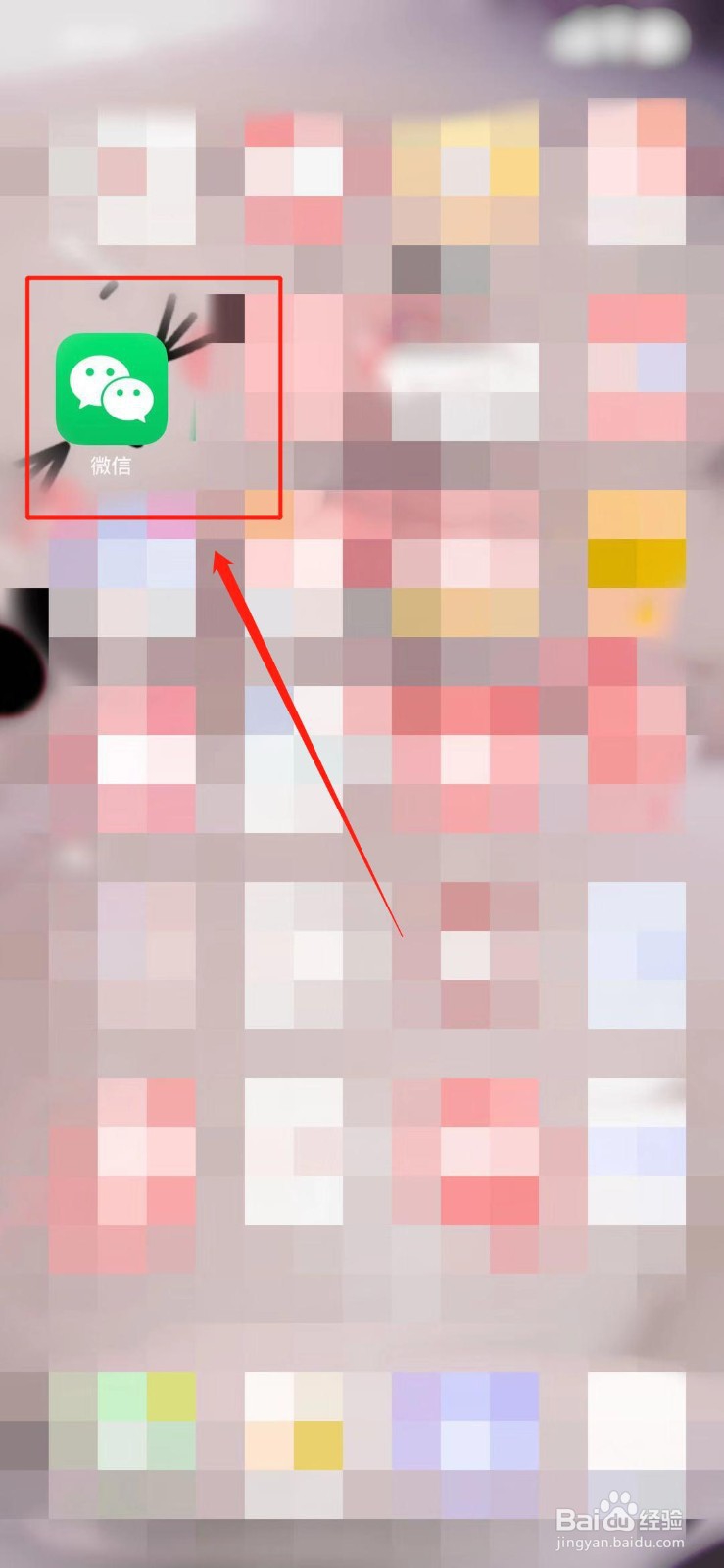
1、打开微信。
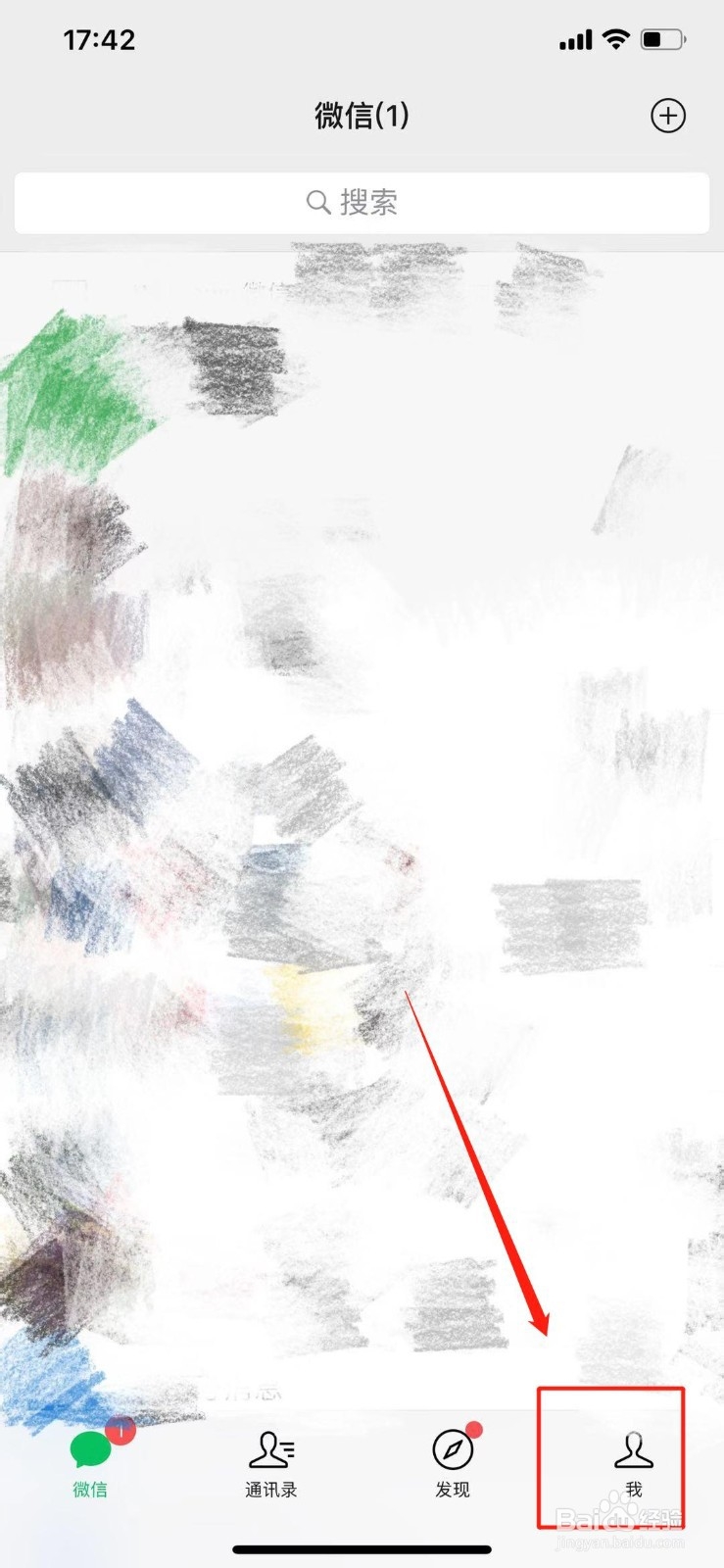
2、点击右下角的“我”。
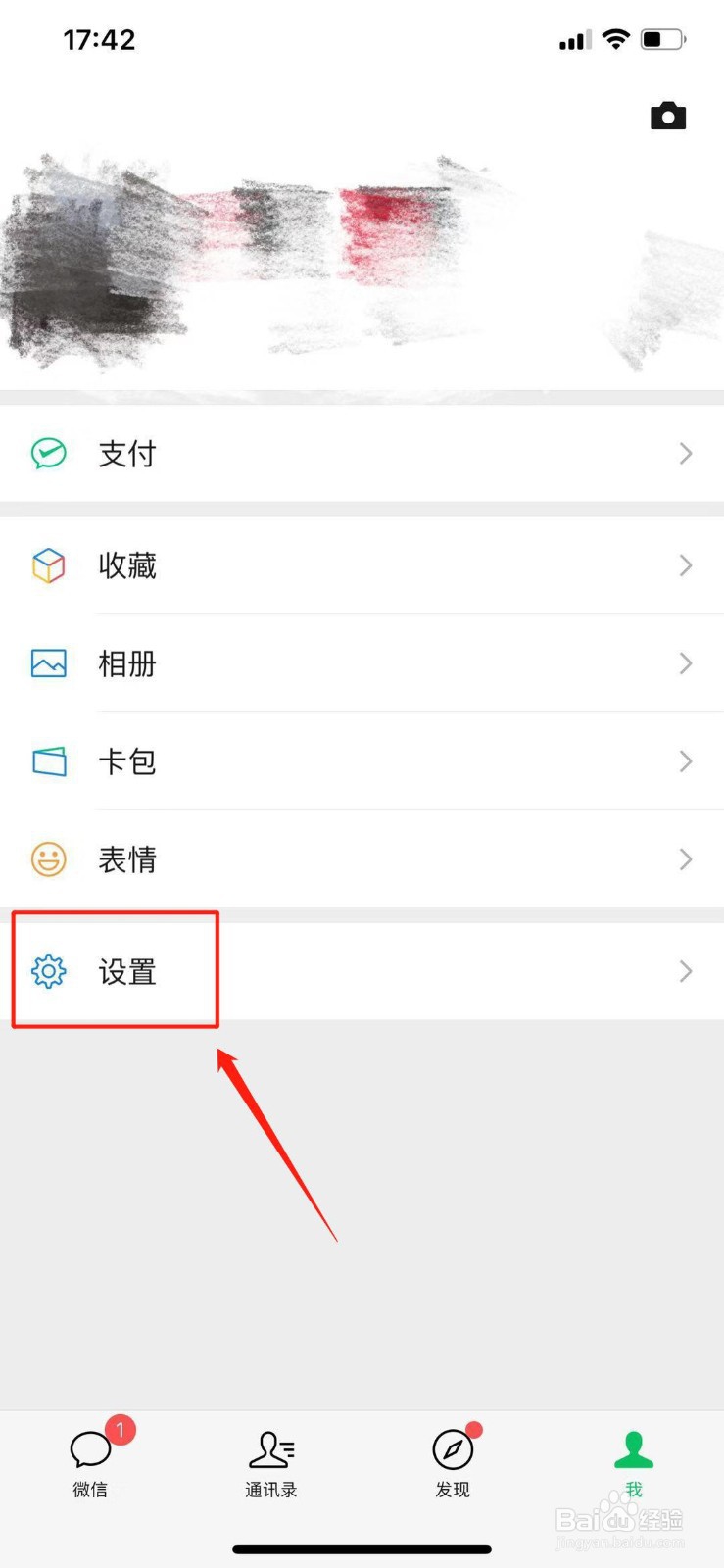
3、点击“设置”。
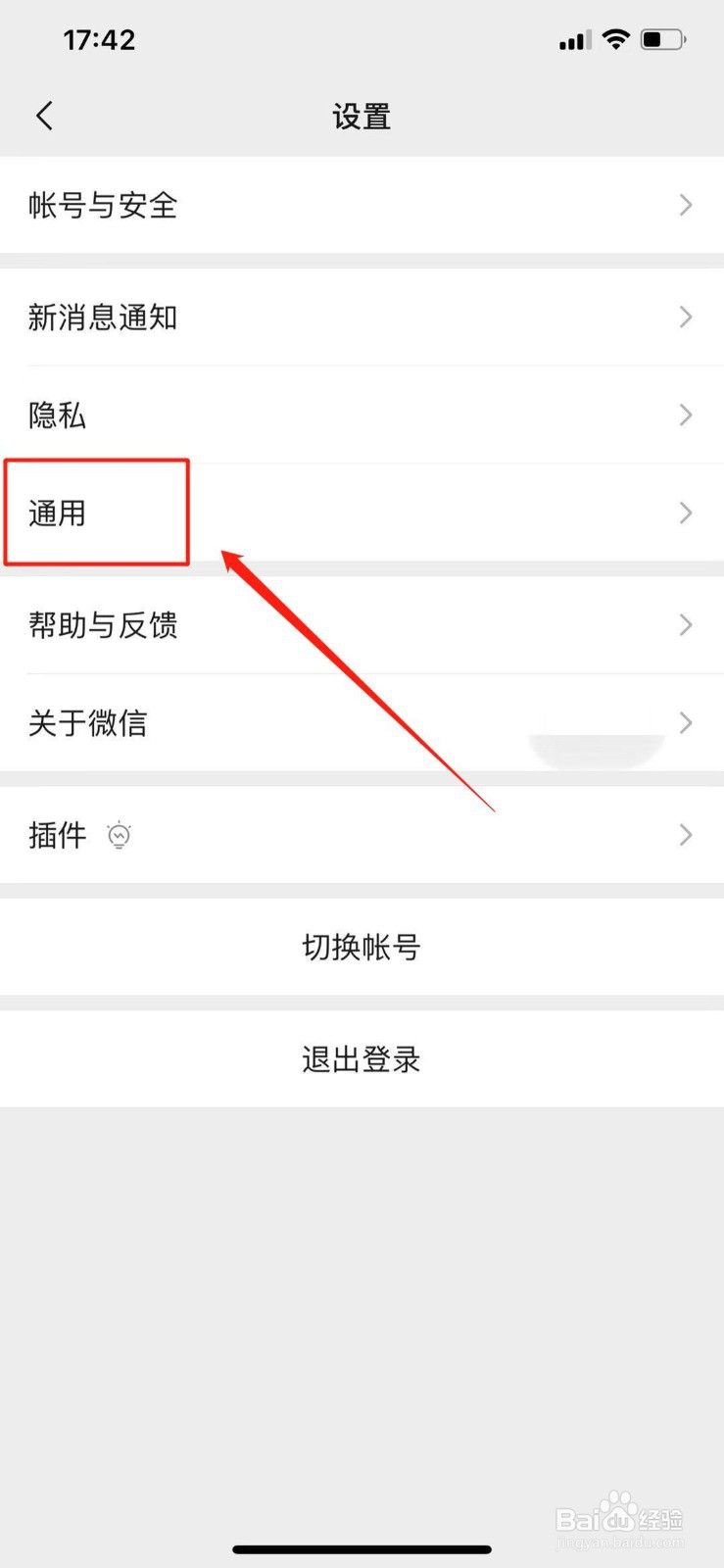
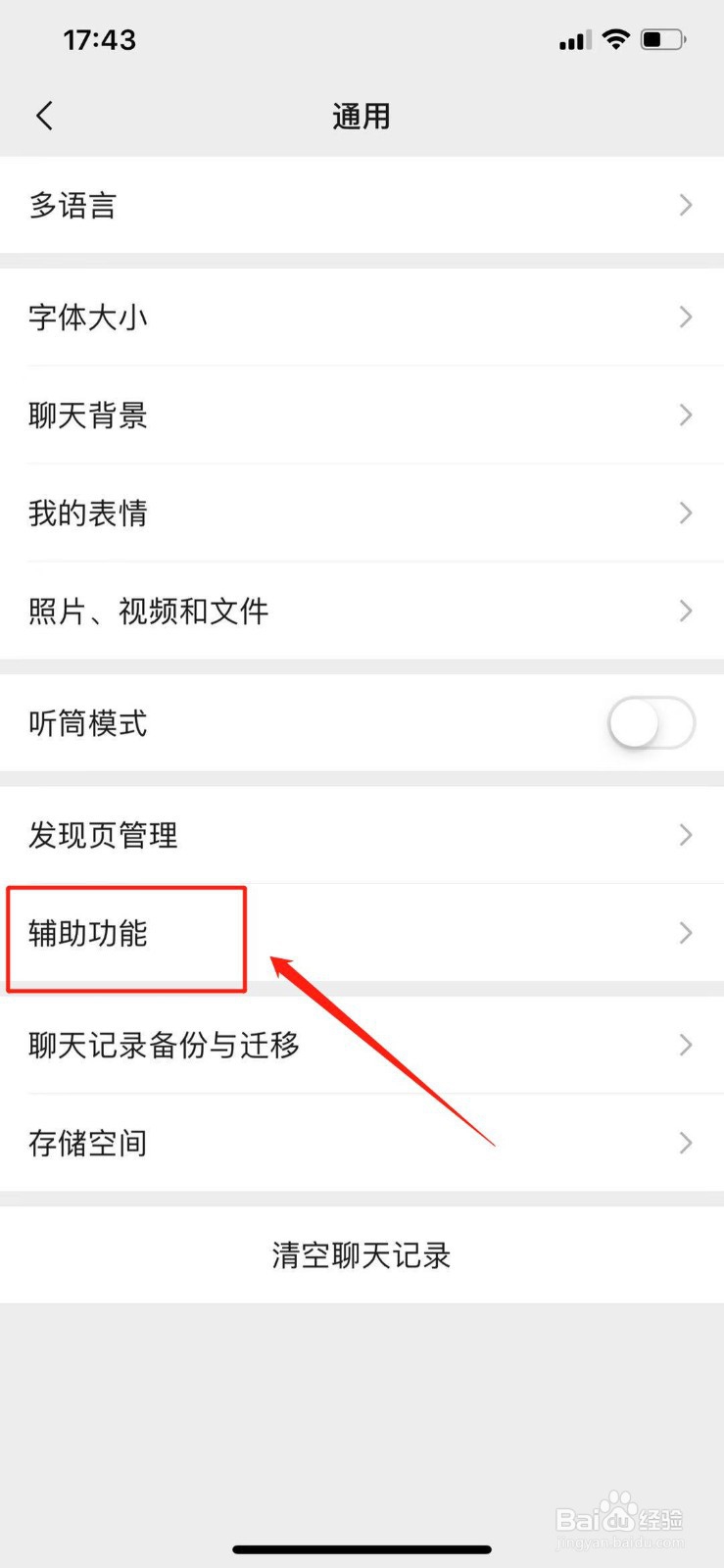
4、点击“通用”。
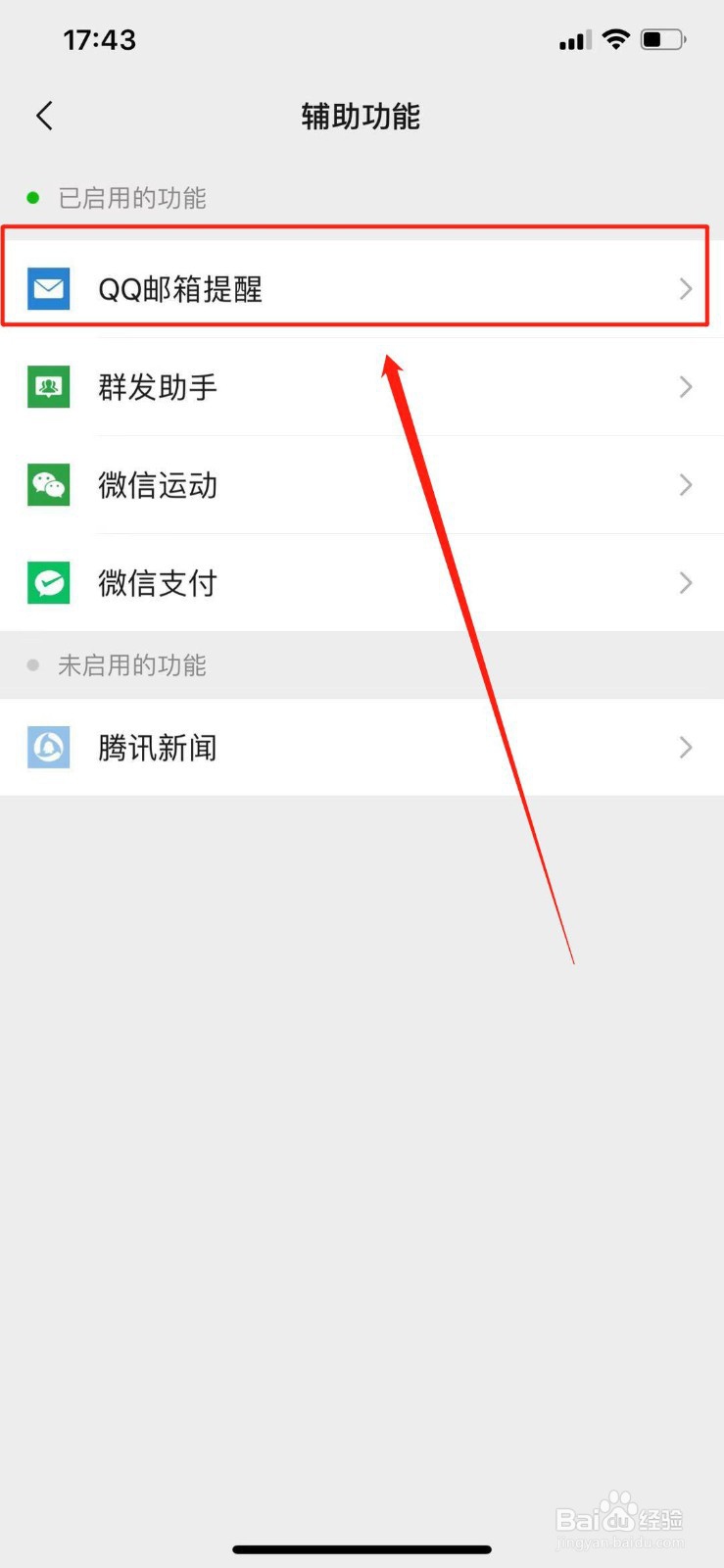
5、点击“辅助功能”。
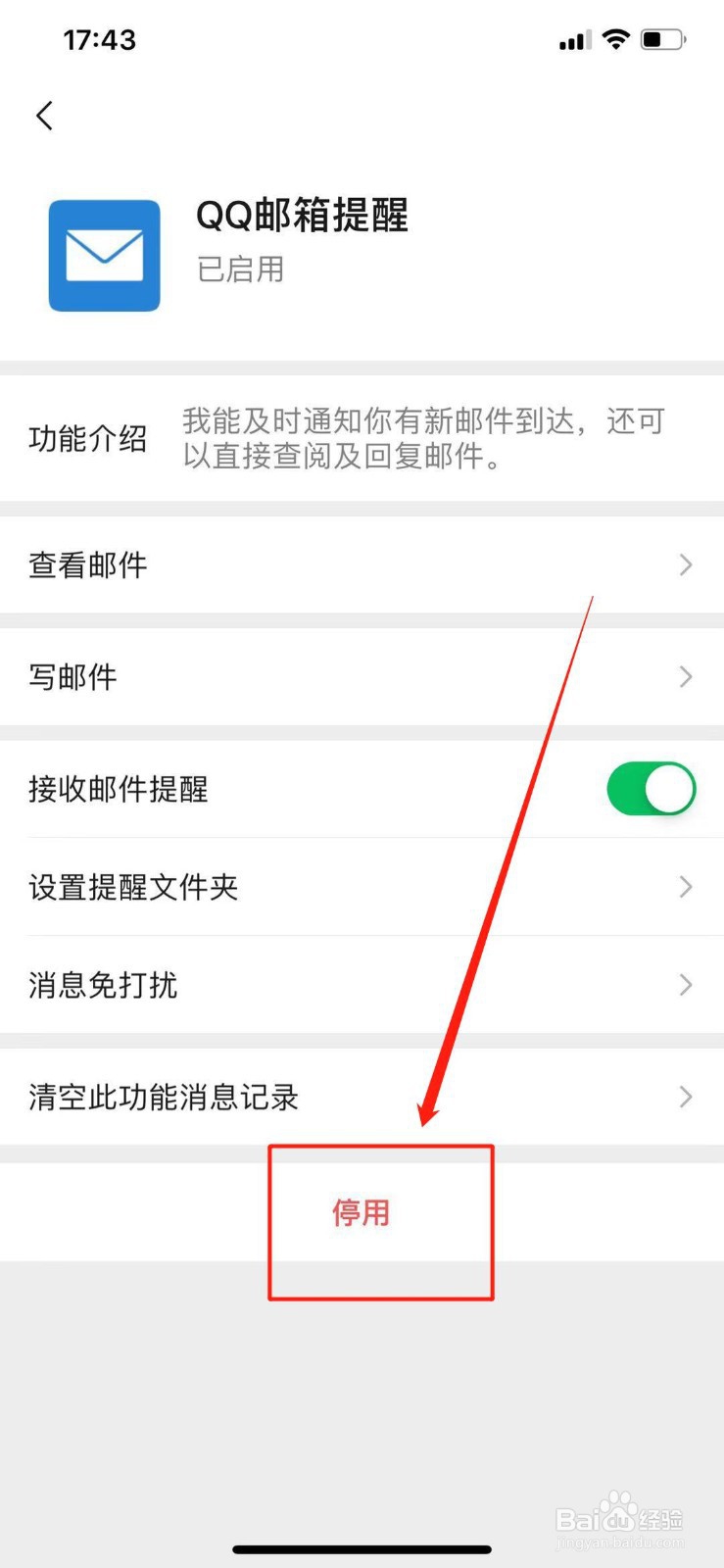
6、点开想要停用的功能。
7、点击下方的“停用”。
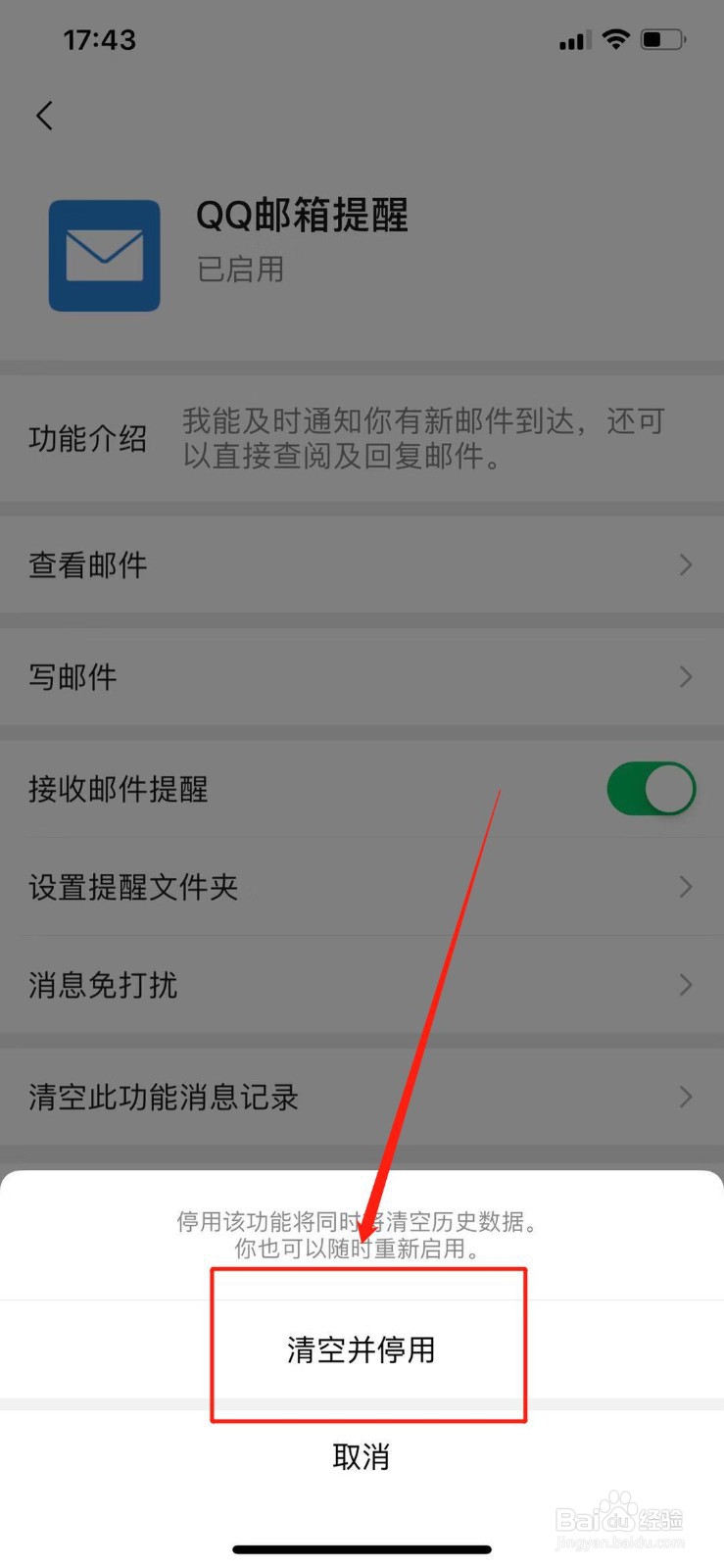
8、点击“清空并停用”。
微信如何修改微信号?
如何查询微信在哪些设备登录过
微信怎么解冻账号?
如何帮朋友冻结微信账号
微信账号怎么解冻
为你推荐:
鸡蛋的做法大全家常
龙虾尾的做法
玉米饼的做法
鸡蛋羹怎么蒸出来又嫩又滑
凉拌海带丝的做法
凉拌鸡脚的做法
清蒸草鱼的做法
水煮虾的做法
莜面的做法大全
猪肉饺子馅做法大全
© 2026 五度知识库
信息来自网络 所有数据仅供参考
有疑问请联系站长 site.kefu@gmail.com